
From the notebook
What Actually Happens When You Disable an Entra User: Tokens, Revocation, and Continuous Access Evaluation
Someone gets disabled in Entra and stays in Teams for forty-five minutes. Someone else's session vanishes in under sixty seconds. The difference is whether both ends speak CAE, plus a few things the documentation describes in isolation. Here's the operational model that explains both.
The single line of every Entra incident review I've ever sat in: "I disabled the user, why are they still in Teams?" The answer involves access token lifetime, refresh token rolling, whether the client speaks CAE, and the propagation model for critical events. Each one is documented separately on Microsoft Learn and the documentation, individually, is fine. Putting them together at the level of detail you need to design and operate around them is a different exercise.
Continuous Access Evaluation is the biggest change to this model in the last several years. It pushes Microsoft from a fixed-token-lifetime model toward a near-real-time revocation model — for clients and resources that both speak the protocol. Knowing what CAE does, and equally what it doesn't, is what separates "I disabled the account, they were out in thirty seconds" from "I disabled the account, they kept reading mail for an hour and a half and I had to manually go revoke sessions."
This piece is the operational model of all of it, in one place.
The three tokens, briefly
Three tokens show up in any Entra sign-in. The ID token is an OIDC JWT that asserts who the user is to the application. The application reads it to learn the user's identity. It doesn't authorise any API calls. The access token is an OAuth 2.0 token (JWT or opaque) that the client presents to a resource — Microsoft Graph, Exchange Online, SharePoint, your custom API — to authorise calls. This is the token that actually lets you in. The refresh token is a long-lived credential held by the client and presented to Microsoft Entra's /token endpoint to get fresh access tokens without re-prompting the user.
The relationships matter for the operational model that follows. The access token authorises individual resource calls. When it expires, the client redeems the refresh token for a new one. The refresh token survives across access token rotations and is what gives a sign-in its persistence over hours and days. Microsoft's configurable token lifetimes page is the canonical reference for the defaults and the (now mostly removed) ability to tune them per application.
The defaults you should not write code against
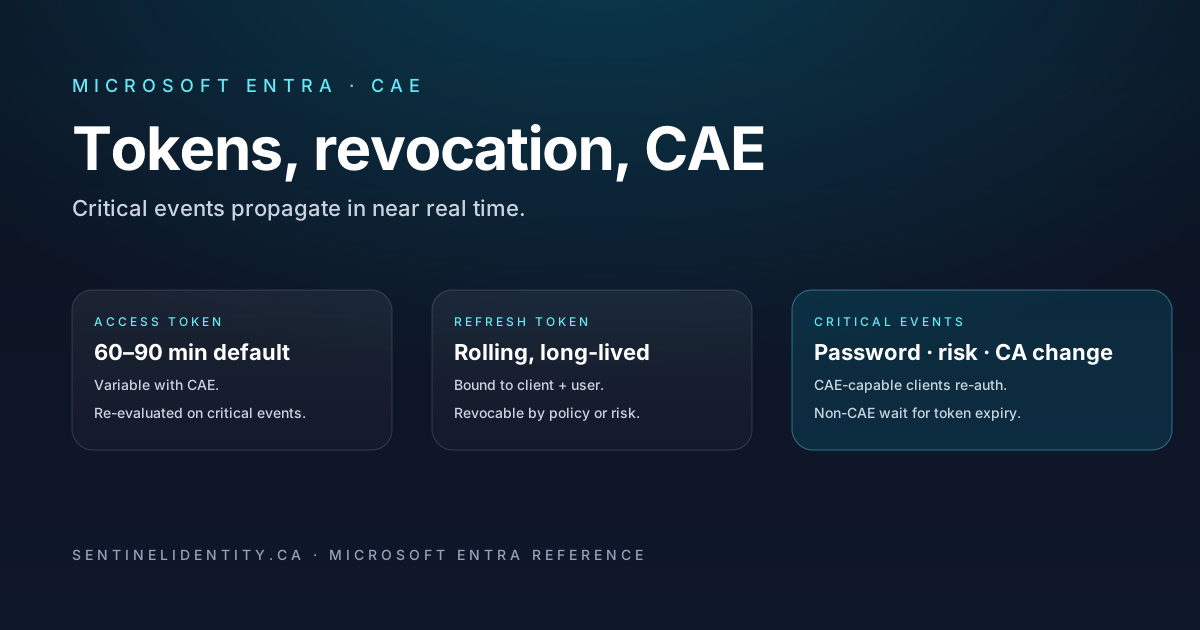
Pre-CAE, the defaults were simple. Access tokens lived 60–90 minutes, with the runtime randomising within that range to avoid spiking renewal traffic at top-of-hour. Refresh tokens lived 90 days, sliding with use. ID tokens matched the access token lifetime.
CAE changes the access token lifetime for CAE-aware sessions to up to 28 hours by default. That's intentional. The CAE design accepts a longer token in exchange for the resource being able to re-evaluate access on critical events instead of relying on token expiry to trigger re-auth. The common misreading is "access tokens are now valid for 28 hours" — they're not, that's the upper bound. The runtime still issues shorter tokens depending on policy, signal, and risk. Don't write code that assumes 28 hours, and don't write code that assumes 60 minutes either. Treat the lifetime as opaque to the client and let the SDK handle redemption when it gets a 401.
How revocation actually works in 2026
The model up to a few years ago was: change a Conditional Access policy or disable a user, then wait for tokens to expire. That's still true for non-CAE clients. For CAE-aware ones, the model is different. A change in Entra publishes a critical event on a backend channel. CAE-aware resources subscribe to it. The next time a CAE-aware client makes a call to a CAE-capable resource, the resource sees that the event applies to the session, returns a 401 with a claims challenge, and the client goes back to Entra to redeem against the new state — which, if the user is now disabled, fails.
The critical events that propagate are documented in CAE event types and include user deletion, user disable, password change or reset, admin-initiated token revocation, MFA enable, detected user risk from Identity Protection, and certain Conditional Access policy changes that affect the session.
The last one is the one worth being specific about. Some CA policy changes propagate as critical events; others don't. Adding a new grant control to an existing policy, for example, requires the next access token request to be re-evaluated, but tokens already in flight may survive until they expire. If you're tightening a policy in response to an incident, also revoke refresh tokens for the affected users to force a clean re-auth. Don't rely on the policy change alone to push everyone out.
End-to-end latency from event to enforcement is typically under a minute, sometimes a few minutes in the worst case. There's no published SLO. The CAE design page describes the intent as "near real time" and in my experience that's roughly what you get.
CAE-capable, versus not
CAE only works if both ends speak it. The clients that do today include Microsoft Teams (desktop and the web SDK), Outlook (desktop, OWA, mobile, in recent versions), OneDrive's sync client, and any app using MSAL that opts in by setting the clientCapabilities claim to cp1.
A client that isn't CAE-capable falls back to the older model. Tokens live to their normal expiry. The resource has no proactive way to reject a stale one. This is the source of "I revoked the user but they kept reading email for ninety minutes" — usually it's an older client (or a third-party app, or a custom script using SDK versions that predate CAE) holding a token whose lifetime hasn't run out yet.
For your own apps using MSAL, the opt-in is one line of configuration. The claims challenge documentation explains the negotiation. For third-party apps, don't trust the vendor's marketing. Look at the actual clientCapabilities claim on the token requests the app makes to your tenant. If cp1 isn't there, CAE isn't in play for that app, no matter what the salesperson said.
The drill every identity team should run
The operational test of whether your CAE story works is a token-revocation drill. Run it at least quarterly.
Sign a non-privileged test user into four CAE-capable surfaces — Teams desktop, Outlook desktop, OneDrive sync, and Edge logged in at office.com. Confirm they're active in all four. Then revoke the user's sessions via Graph PowerShell:
Connect-MgGraph -Scopes "User.RevokeSessions.All", "User.ReadWrite.All"
Revoke-MgUserSignInSession -UserId "test-user@contoso.com"
Within about a minute, Teams desktop should prompt for re-auth, Outlook should display its auth dialog, OneDrive should pause sync and re-auth, and Edge should redirect through sign-in on the next click. Sign back in as the same user and verify the new sign-in produces a fresh SigninLogs entry with a new CorrelationId.
If any of the four clients keeps working for more than five minutes, one of three things is true. Either that surface isn't CAE-capable on this version (check what you're running). Or the client is offline and the cached token is being used locally with no opportunity for the resource to push back. Or there's a configuration issue that's preventing CAE on that endpoint, which is worth knowing before you depend on revocation in a real incident, not after.
Things worth knowing before they bite
The first is that the access token lifetime you've heard about isn't a guarantee. CAE-eligible sessions can run a long-lived access token, but the runtime still picks shorter values depending on policy, risk, and the resource. The 28-hour figure is the upper bound, not the typical case. Don't optimise for it.
The second is that CAE applies to user sessions. Service principal and workload-identity sessions don't have a CAE story today. Revocation of a workload identity happens at the credential level — rotate or remove the secret, certificate, or federated credential — and any access tokens already issued under the old credential remain valid until they expire. Short-lifetime access tokens for high-value workload identities are the right hedge. The federated identity credential model gets around the secret-rotation half of this by not having a secret in the first place.
The third is offline behaviour. An offline laptop with a 24-hour valid access token continues to satisfy any locally-cached read against the resource until the laptop is back online. CAE can't reach an offline client. There's no out-of-band mechanism that forces a logout. The user comes back online, the next request fails, they get re-prompted. That's the model.
The fourth is non-CAE-aware resources. If a resource accepts access tokens but doesn't subscribe to CAE events — some non-Microsoft APIs that just JWT-validate, for instance — it'll accept stale tokens until they expire. The right design for those is shorter access token lifetimes for the application that targets them, configured via application token lifetime policies.
The fifth is sign-in frequency policies, which are independent of CAE. A sign-in frequency policy can force re-auth every N hours regardless of token state. Use it on top of CAE for sensitive populations. Don't use it instead of CAE, because the use cases overlap but aren't identical.
Things people ask
How long does "revoke sessions" actually take to log a user out? For CAE-capable clients and CAE-capable resources, typically under a minute, occasionally a few. For non-CAE clients, until the access token expires (default 60–90 min) and the refresh token redemption fails, at which point the user gets re-prompted.
Why is my access token valid for 24 hours when I expected 60 minutes? The session is CAE-eligible — the client opted in with cp1 and the resource is CAE-capable. The longer lifetime is by design, paired with the resource's ability to re-evaluate on critical events. If you specifically need shorter lifetimes for a particular workload, configure a token lifetime policy on the application object.
Does CA "Block access" actually block in-flight sessions? Adding a Block grant control on a policy that targets a user removes their ability to acquire new tokens immediately. On CAE-capable client and resource pairs, it also causes existing tokens to be rejected on the next call. If you need certainty in an incident, pair the policy change with an explicit Graph session revocation.
What happens if a user is offline when their session is revoked? They can continue using locally-cached resources until they reconnect. When they reconnect, the CAE channel fires, the resource rejects the access token, the client re-prompts. No mechanism forces a logout while they're offline.
Are ID tokens revocable? No. They're intentionally short-lived and not individually revocable. The application shouldn't rely on the ID token surviving past its expiry — it should refetch user information from a token endpoint as needed.
Where to read further
- Continuous Access Evaluation — Microsoft Learn
- Configurable token lifetimes — Microsoft Learn
- Claims challenges, capabilities, and client capabilities — Microsoft Learn
Revoke-MgUserSignInSession— Graph PowerShell SDK- ID and access tokens — Microsoft Learn
- Refresh tokens — Microsoft Learn
- Sign-in frequency in Conditional Access — Microsoft Learn
About the author
MU.AMicrosoft 365 / Entra Engineer
MU.A is the editorial byline for Sentinel Identity, covering Microsoft Entra, Microsoft 365, and identity administration. Send corrections or questions through the contact page.
Feedback
Was this article helpful?
Anonymous — no account or comment required.
Related reading
SAP SuccessFactors Workload Identity Migration Guide
Migrate Microsoft Entra SAP SuccessFactors provisioning from basic authentication to workload identity with staged testing, rollback, logs, and deadline checks.
External IdP Passkeys for Microsoft 365: Admin Guide
Enable external IdP passkeys for Microsoft 365 apps safely: verify federation, brokers, browsers, platform scope, rollback, and sign-in evidence.
Disable a Microsoft Entra Agent ID Blueprint Safely
Disable a Microsoft Entra Agent ID blueprint safely, contain its agent identities, preserve evidence, account for live tokens, and restore access cleanly.