
From the notebook
Choosing a FIDO2 Security Key for a Microsoft Entra Passkey Rollout: A Practical Comparison for Admins
You've decided to roll out phishing-resistant authentication on Microsoft Entra. Now you need to pick a security key that will actually work end-to-end for your users, survive an enterprise deployment, and not bankrupt the security budget. Here's what to look for, what to avoid, and how five popular keys compare in practice.
If you're reading this, you've probably reached one of two conclusions. Either your organisation is on legacy per-user MFA and the auditor asked why some users are still on SMS as a second factor. Or you already run Conditional Access with an Authentication Strength that requires phishing-resistant methods, and now you need to actually put a physical key in every user's hand.
The Microsoft docs cover how to enable passkey and FIDO2 sign-in in Entra ID. What they can't tell you is which key to actually buy, because the answer depends on how many users you're rolling out to, which devices they use, whether you need attestation enforced, and how much of the enterprise-management burden you want to sign up for. This post is the missing piece: a practitioner comparison of five FIDO2 security keys that are realistic choices for a Microsoft-first environment, with concrete recommendations for the scenarios I see most often.
Where FIDO2 keys fit in a passkey rollout
Before comparing hardware it's worth being precise about what a FIDO2 key does inside a Microsoft Entra sign-in. Otherwise it's easy to buy the wrong thing.
A FIDO2 security key is a small physical device that holds one or more cryptographic keypairs. When a user signs in to login.microsoftonline.com, the browser talks to the key over USB, NFC, or Bluetooth (in practice: USB or NFC for enterprise). The key produces a signed challenge that Entra verifies against a public key it stored when the user first registered the security key on their account. Because the private key never leaves the device and each challenge is bound to the origin of the login page, the flow is phishing-resistant in a way that TOTP codes, SMS, and even push-based MFA are not.
In Entra terms a FIDO2 key is one of several authentication methods you enable in Entra ID → Authentication methods → Policies → FIDO2 security key. When Conditional Access requires phishing-resistant MFA (via an Authentication Strength that includes FIDO2, Windows Hello, or platform passkeys), the FIDO2 key is one of the methods that satisfies the requirement. Passkeys — the newer branding — refers to FIDO2 credentials that are discoverable (also called resident), meaning the key can be used to sign in without the user first typing a username. For a physical key rollout, "passkey" and "FIDO2 security key" are effectively synonymous; what changed is the terminology.
Two other authentication methods overlap conceptually and it's useful to know how they relate:
- Windows Hello for Business produces a WebAuthn credential too, but the private key is bound to the TPM in the user's Windows device. It's phishing-resistant, satisfies the same Authentication Strengths as a FIDO2 key, and is the right choice for the user's primary workstation. But it doesn't cover shared kiosks, non-Windows devices, or the case where the user's laptop dies and they need to sign in from a loaner. That's what the FIDO2 key covers.
- Platform passkeys on iOS, Android, and macOS are also WebAuthn credentials but are bound to the platform's secure enclave and synced across Apple ID or Google account. Useful for BYOD, less useful for enterprise where you want the credential bound to a specific piece of hardware the user must physically possess.
A well-designed rollout usually combines all three. Users get Windows Hello on their corporate device, a platform passkey on their mobile, and one or two physical FIDO2 keys as the fallback. This post is about the physical-key part.
Vocabulary you need before comparing keys
Vendor spec sheets throw around a lot of terms. If you don't have precise definitions in your head, comparing "FIDO2 Level 1 certified with CTAP 2.1 and 25 resident credentials" against "FIDO2 certified with CTAP 2.0 and 50 discoverable credentials" is impossible.
FIDO2. The protocol suite that includes WebAuthn (the browser API) and CTAP2 (Client-to-Authenticator Protocol, the low-level protocol between the browser and the key). "FIDO2 certified" means the key passed the FIDO Alliance's interoperability tests. It does not by itself say anything about the security level of the hardware.
FIDO Certification level. The FIDO Alliance runs a certification programme with tiers L1, L2, L3, L3+. L1 covers software correctness; L2 adds resistance to physical attacks on the hardware; L3 adds side-channel and fault-injection resistance. For a general enterprise deployment, L1 is fine. For high-assurance use (executives, admins, regulated industries), L2 is the floor.
AAGUID. The Authenticator Attestation Global Unique Identifier — a fixed 128-bit value that identifies the make and model of a security key. Entra's authentication method policy for FIDO2 lets you allow or block keys by AAGUID, which is how you enforce "only these three approved models are allowed in this tenant."
Attestation. A signed statement from the key vendor confirming that the private key was generated inside a certified authenticator. When you enable Enforce attestation in the Entra FIDO2 policy, the tenant will refuse to register a key that can't produce a valid attestation. This is the mechanism that stops users from registering unsanctioned no-name keys. Not all keys support attestation, and some vendors ship keys with attestation disabled by default.
Resident credentials / discoverable credentials. A resident credential is stored on the key itself, letting the user sign in without typing a username first ("username-less" login). Older keys either don't support this or support only a small number (25 was a common limit). Modern keys support 100 or more.
PIN. FIDO2 supports a user-set PIN as a second factor unlocking the key. The PIN is enforced by the key hardware, not by Windows or Entra, and after a small number of wrong attempts the key wipes itself. This is important for compliance: a stolen FIDO2 key with PIN protection is meaningfully harder to abuse than a stolen key without.
CTAP2.1. The latest widely-implemented CTAP version. Adds features like credential management (letting the user list and delete resident credentials on the key), user verification without a PIN when the key has a biometric, and larger blobs for enterprise attestation. Most current keys support 2.1. Older keys stuck on 2.0 will still work with Entra but may not support credential management from Windows Settings.
The comparison table
Five keys that I see actually chosen in Microsoft-first environments, grouped by the role they play in a deployment.
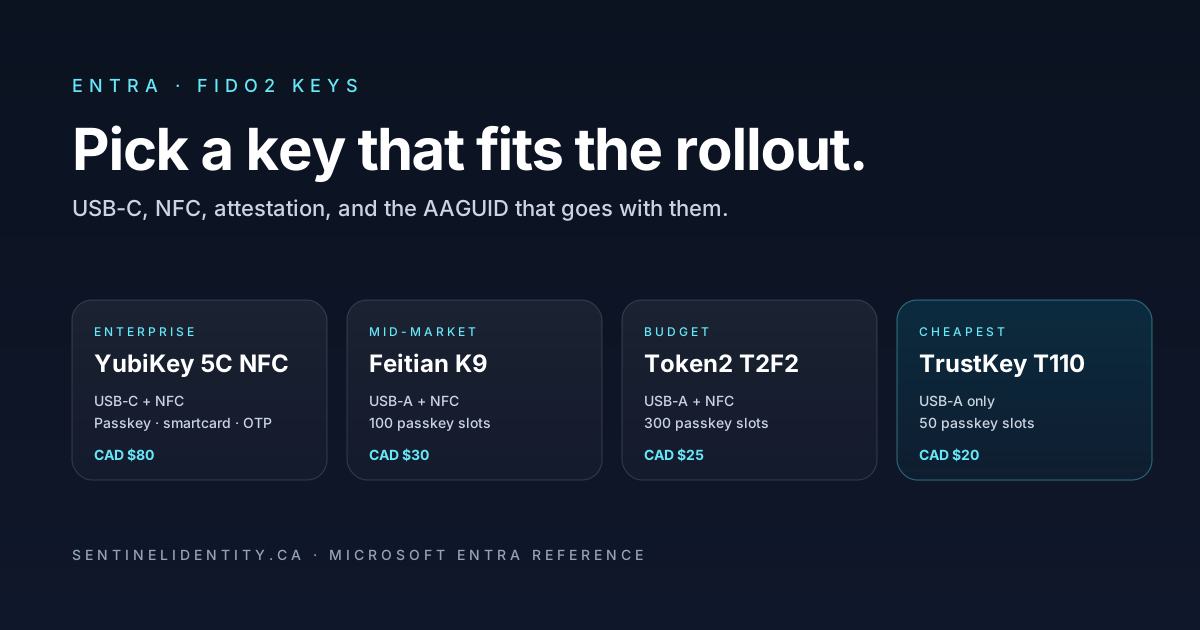
| Key | Interface | Passkey slots | FIDO L2 | Price (approx.) | Role |
|---|---|---|---|---|---|
| YubiKey 5C NFC | USB-C + NFC | 100 | ✔ | CAD $80 | Enterprise default |
| YubiKey Security Key C NFC | USB-C + NFC | 100 | ✔ | CAD $40 | Cheaper YubiKey for backup / secondary key |
| Feitian ePass NFC K9 | USB-A + NFC | 100 | ✔ | CAD $30 | Mid-market volume rollouts |
| Token2 T2F2-ALU | USB-A + NFC | 300 | ✔ | CAD $25 | Budget rollouts, EU-manufactured |
| TrustKey T110 | USB-A | 50 | ✔ | CAD $20 | Cheapest FIDO-certified option |
A note on prices: these are indicative single-unit Canadian retail prices as of mid-2026. Enterprise volume orders through resellers or the vendor's direct enterprise programme typically run 15–40% less.
YubiKey 5C NFC
Check the YubiKey 5C NFC price on Amazon.ca (paid link)
The default enterprise choice, and the most fully-featured key on this list. USB-C and NFC, so it works with modern laptops, phones, and tablets. In addition to FIDO2 it supports Yubico's proprietary OTP, OpenPGP, PIV smartcard, and OATH TOTP — none of which you need for Entra sign-in, but useful if you also use the key for SSH, code signing, or password-manager integration. Full FIDO L2 certification. Yubico's enterprise programme includes centralised inventory, factory-preloaded configuration, and one of the better attestation-management stories.
Why you'd pick it: because you want one key model across the estate and don't want to worry about which features work. Because your users travel and need NFC for phone-based sign-in. Because your security team already trusts YubiKey.
Why you might not: cost. At CAD $80/user, rolling out to a thousand users is CAD $80,000 before you've bought a single backup key. If cost matters and you don't need the extra Yubico features, the Security Key C NFC below is the same FIDO functionality at half the price.
YubiKey Security Key C NFC
Check the YubiKey Security Key C NFC price on Amazon.ca (paid link)
Yubico's stripped-down FIDO-only line. Same hardware quality, same USB-C + NFC form factor, same FIDO2 certification. What's missing is the OTP, PGP, PIV, and OATH support. For an Entra rollout where you're only using the key for FIDO2 sign-in, none of that matters, so this is the honest recommendation for organisations that don't need the rest.
Why you'd pick it: same reasons as the 5C NFC, but you don't need the non-FIDO features and you want to cut per-user cost roughly in half.
Why you might not: if you eventually want to use one key for FIDO2 and smartcard sign-in (some hybrid deployments still care about smartcard for legacy on-prem systems), you'd need to upgrade later.
Feitian ePass NFC K9
Check the Feitian ePass NFC K9 price on Amazon.ca (paid link)
Feitian is the second-tier enterprise vendor most Microsoft-heavy shops consider when YubiKey is out of budget. The K9 is a solid mid-market key: FIDO2 L2 certified, 100 resident credentials, USB-A + NFC. The USB-A part matters — a lot of enterprise fleet laptops from the mid-2020s still have USB-A ports and dongles are one more thing to lose. Feitian's enterprise support and attestation story are good but less polished than Yubico's.
Why you'd pick it: rolling out to 200+ users on a budget, most of whom have USB-A machines. Or you want vendor diversity and don't want your entire estate depending on YubiKey.
Why you might not: if the fleet is USB-C only, you'd need Feitian's ePass K10 (USB-C variant) instead.
Token2 T2F2-ALU
Check the Token2 T2F2-ALU price on Amazon.ca (paid link)
Token2 is a Swiss vendor that's built a real business around FIDO2 keys at aggressive prices. The T2F2-ALU has an aluminium body, USB-A + NFC, and stores up to 300 resident credentials — the highest in this list. FIDO L2 certified. The Swiss manufacturing origin matters for organisations with data-sovereignty concerns about US-manufactured hardware. Token2 also publishes AAGUIDs prominently and supports Entra attestation cleanly.
Why you'd pick it: EU or Canadian organisation that wants non-US manufacturing. Very large rollout where the per-unit price matters. Users who register many credentials (multiple test tenants, multiple personal accounts) and would fill up a 100-slot key.
Why you might not: the ecosystem is smaller than YubiKey's. If your security team wants a household name for compliance reporting, that's a soft factor against.
TrustKey T110
Check the TrustKey T110 price on Amazon.ca (paid link)
The budget end of what I'd recommend at all. USB-A only (no NFC), 50 passkey slots, FIDO2 L2 certified. TrustKey is a Korean vendor with reasonable market presence in Asia-Pacific and increasingly in North America. Sub-$20 per key means you can afford to give every user two of them and still come in under the Feitian budget.
Why you'd pick it: cheapest defensible option. Users who never authenticate from a phone (so NFC is unnecessary) — for example, factory-floor kiosk users signing in to shared devices.
Why you might not: no NFC means no phone-based sign-in. Fewer passkey slots. Smaller ecosystem.
What to actually buy for common scenarios
Standard corporate deployment, 100–1,000 users. Buy YubiKey Security Key C NFC as the primary key and YubiKey 5C NFC for privileged users (Global Admins, Security Admins). Give every user two keys — one on their keychain, one in a locked drawer at their desk. Budget: roughly CAD $80 per standard user, CAD $160 per privileged user.
Budget-constrained deployment, 500+ users. Buy Feitian ePass K9 (or K10 for USB-C fleets) as the standard key, YubiKey 5C NFC for privileged users. Feitian's per-unit cost lets you afford two keys per user. Enforce attestation and restrict to these two AAGUIDs in the Entra FIDO2 policy.
Very large rollout, cost is the primary constraint. Token2 T2F2-ALU. Publish the AAGUID to your users so they know what to expect.
Executive / high-assurance users. YubiKey 5C NFC with PIN protection. Consider a Yubico enterprise support agreement so you have a direct escalation path if a key fails during travel.
Fallback / recovery keys stored in the SOC safe. YubiKey 5C NFC. Register two of them per privileged account. Attach a physical tag to each with the account it's registered to. This is what stops the "we can't sign in because the CA policy requires FIDO2 and everyone's key is broken" incident from being unrecoverable.
Deployment operations in Entra
Once you've chosen keys, the actual rollout has four operational steps.
Enable FIDO2 as an authentication method
In the Entra admin centre, go to Authentication methods → Policies → FIDO2 security key. Enable the method for your target group (start with a pilot group, not All Users). Turn on Enforce attestation. Turn on Enforce key restrictions and add the AAGUIDs for the keys you've approved. This is what prevents users from bringing their own random keys, which is the correct default for enterprise deployments.
# View the current FIDO2 authentication method policy
Connect-MgGraph -Scopes "Policy.ReadWrite.AuthenticationMethod"

Get-MgPolicyAuthenticationMethodPolicyAuthenticationMethodConfiguration `
  -AuthenticationMethodConfigurationId "Fido2" |
  Select-Object State, @{n="Enforcement";e={$_.AdditionalProperties.isAttestationEnforced}},
    @{n="RestrictedKeys";e={$_.AdditionalProperties.keyRestrictions}}
Require FIDO2 via Conditional Access
Create an Authentication Strength that includes FIDO2 security key and (usually) Windows Hello for Business and Platform passkeys. Assign it via a Conditional Access policy to the same pilot group, initially in Report-only mode. Watch sign-in logs for a week. When you're confident nobody is being unnecessarily blocked, flip the policy to On.
Register the keys
Users go to https://mysignins.microsoft.com/security-info and add Security key as an authentication method. The flow prompts them to insert the key, set a PIN, and touch the key to confirm. The key is now bound to their account and produces WebAuthn assertions on future sign-ins.
For a large rollout, this self-service model works but it produces variance in what users end up doing. A better model for enterprise: pre-register the keys via Temporary Access Passes (TAPs). You issue a TAP to the user, they use it to sign in to the security-info portal, register their key, and the TAP expires. The user never has to know a password.
Monitor adoption
Two useful sign-in log queries. First, who is signing in with FIDO2:
SigninLogs
| where TimeGenerated > ago(30d)
| where AuthenticationDetails has "Fido"
| summarize SignIns = count() by UserPrincipalName
| order by SignIns desc
Second, who is still on password-plus-MFA and should be moved:
SigninLogs
| where TimeGenerated > ago(30d)
| where ResultType == 0
| where AuthenticationRequirement == "multiFactorAuthentication"
| where not (AuthenticationDetails has "Fido")
| summarize SignIns = count() by UserPrincipalName
| order by SignIns desc
What goes wrong
"The key won't register — Entra says the AAGUID isn't allowed." You enforced key restrictions but forgot to add the AAGUID of the key the user is trying to register. Check the vendor's docs for the AAGUID, add it to the allowed list, wait 5–10 minutes for the policy to propagate.
"The user set a PIN and now can't remember it." FIDO2 PINs are held by the key, not by Entra. There's no admin recovery. The user must reset the key (which wipes all credentials on it) and re-register with Entra. Give users a second key for exactly this reason.
"NFC sign-in on iPhone doesn't work." iOS added FIDO2 NFC support properly around iOS 16. Users on older iOS may be stuck. Also: some Lightning-only iPhones have limited NFC compatibility with certain key models — YubiKey and Feitian both work, cheaper keys sometimes don't. Test with the specific phone models in your estate before committing.
"Sign-in works from Edge but not from Chrome." Both browsers support WebAuthn on Windows 11 and macOS. If Chrome fails, check that the user's Chrome version is current — WebAuthn support was hardened repeatedly through 2024–2025 and older Chrome installs have known bugs with NFC.
"CA policy blocks a user because their FIDO2 key ran out of battery." FIDO2 keys don't have batteries — they draw power from the USB port or the phone's NFC reader. If a user reports "the key is dead," the actual cause is nearly always a broken USB connector on the key or a Windows driver issue. Give them the backup key.
FAQ
Do we need enterprise attestation licensing? No. Basic FIDO attestation (the vendor's factory signature) works with any Entra ID plan. What Entra P2 gives you is more granular audit and reporting on FIDO2 registration events, plus the ability to include FIDO2 registration in Identity Protection risk policies.
Can we register a FIDO2 key on an account that doesn't have a password? Yes — that's exactly what passkey rollouts aim for. The flow is: issue a TAP, sign in with the TAP, register the FIDO2 key, sign in with the key. The account never needs a password. In practice you'll still have a password on Break Glass accounts for disaster recovery.
What about YubiKey Bio? YubiKey Bio adds a fingerprint sensor to the key so the user verification factor is biometric rather than a PIN. Currently around 2× the price of a 5C NFC. Useful for organisations that require biometric user verification for compliance, otherwise overkill.
What about Windows Hello — do we still need FIDO2 keys if we have Hello? Yes, as the fallback for kiosks, loaner devices, non-Windows devices, and the "my laptop died on a business trip" case. Also for users who don't have TPM 2.0 hardware.
Can the same physical key be registered to multiple Entra accounts? Yes. A single YubiKey can hold many resident credentials — typically 100 slots on modern keys. One key can serve as the user's work account, their personal Microsoft account, their GitHub account, their password manager, and more. Storage is not the constraint.
Do FIDO2 keys work with legacy protocols like IMAP or SMTP AUTH? No. Legacy protocols use basic username/password authentication that predates WebAuthn entirely. This is one of the reasons blocking legacy authentication (which you should be doing regardless) is a prerequisite for a FIDO2 rollout.
References
- Microsoft: Enable passkeys (FIDO2) for your organization
- Microsoft: Conditional Access Authentication Strengths
- FIDO Alliance: Certified authenticator list
- Yubico: Enterprise deployment guide for Microsoft Entra ID
Prices and product specifications are current as of the date of publication. Always verify with the vendor before making a bulk purchase.
About the author
MU.AMicrosoft 365 / Entra Engineer
MU.A is the editorial byline for Sentinel Identity, covering Microsoft Entra, Microsoft 365, and identity administration. Send corrections or questions through the contact page.
Feedback
Was this article helpful?
Anonymous — no account or comment required.
Related reading
External IdP Passkeys for Microsoft 365: Admin Guide
Enable external IdP passkeys for Microsoft 365 apps safely: verify federation, brokers, browsers, platform scope, rollback, and sign-in evidence.
Core Authentication Methods in Microsoft Identity: Kerberos, NTLM, LDAP, Passkeys, Certificates, and Windows Hello
A technical guide to Kerberos, NTLM, LDAP bind, passkeys, certificate-based authentication, and Windows Hello for Business, focused on what each method proves and how the backend validates it.
Microsoft Authentication Protocols and Sign-In Models: From Kerberos to OpenID Connect on Microsoft Entra
A technical guide to the major authentication protocols and sign-in models used in Microsoft environments, including Kerberos, NTLM, LDAP bind, SAML, WS-Federation, OAuth 2.0, OpenID Connect, passkeys, certificate-based authentication, AD FS, and Microsoft Entra sign-in models.