
From the notebook
Microsoft Authentication Protocols and Sign-In Models: From Kerberos to OpenID Connect on Microsoft Entra
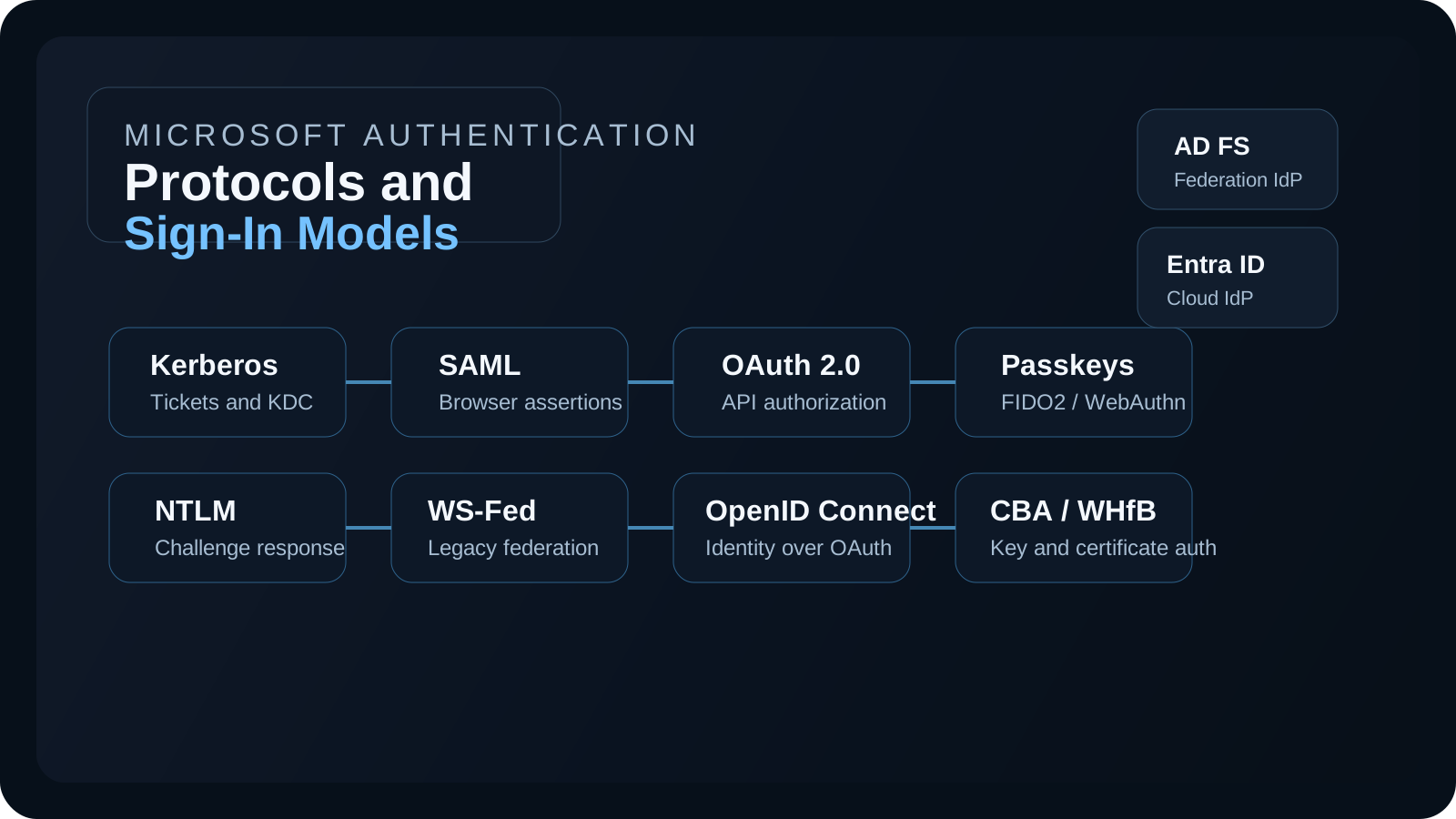
A technical guide to the major authentication protocols and sign-in models used in Microsoft environments, including Kerberos, NTLM, LDAP bind, SAML, WS-Federation, OAuth 2.0, OpenID Connect, passkeys, certificate-based authentication, AD FS, and Microsoft Entra sign-in models.
Overview
When administrators talk about "authentication," they often mix together three different things:
- authentication protocols, such as Kerberos or NTLM
- federation and token protocols, such as SAML, WS-Federation, OAuth 2.0, and OpenID Connect
- Microsoft sign-in architectures, such as password hash sync, pass-through authentication, or federation with AD FS
That mix-up is why identity conversations become confusing so quickly. AD FS SAML and Microsoft Entra SAML are not two different protocols. They are both SAML-based sign-in patterns, but they use different identity providers, different trust boundaries, and different control planes. Likewise, OAuth is not the same thing as OpenID Connect, even though they are often used together. And password hash sync is not a protocol at all. It is a sign-in architecture.
This article focuses on the major authentication and sign-in models you will actually see in Windows, Active Directory, LDAP-integrated applications, AD FS, Microsoft Entra, and SaaS integrations. It is not a list of every authentication mechanism in computing. It is a practical technical map for Microsoft identity engineers.
Before going protocol by protocol, it helps to start with the plain-language identity concepts first. If those concepts are fuzzy, Kerberos, SAML, OAuth, and federation all start sounding like disconnected acronyms instead of different answers to different identity problems.
Primary Microsoft sources for this topic include:
- Windows authentication overview
- Kerberos authentication overview
- NTLM overview
- Lightweight Directory Access Protocol (LDAP)
- Single sign-on SAML protocol
- OpenID Connect on the Microsoft identity platform
- OAuth 2.0 authorization code flow
- What is federation with Microsoft Entra ID?
- User sign-in with Microsoft Entra pass-through authentication
- What is password hash synchronization with Microsoft Entra ID?
- Set up Microsoft Entra certificate-based authentication
- Register a passkey (FIDO2)
- What is Microsoft Entra authentication?
- How Windows Hello for Business authentication works
The basic concepts first
What is authentication?
Authentication answers one question: who are you?
When a user types a username and password, presents a certificate, touches a security key, or completes a passkey prompt, the system is trying to establish confidence about the identity of the person or workload making the request.
Authentication does not automatically answer what that identity is allowed to do. It only establishes identity with some level of assurance. Microsoft says the same thing differently across its documentation: sign-in methods prove identity, then access controls and authorization logic decide what that identity can access.
What is authorization?
Authorization answers a different question: what are you allowed to do now that I know who you are?
This distinction matters because many failures that users call "authentication problems" are actually authorization problems. A user can authenticate successfully and still be blocked by:
- group-based app assignment
- Microsoft Entra Conditional Access
- missing API permissions
- application-level role checks
- file, mailbox, or SharePoint ACLs
This is also why OAuth 2.0 is so often misunderstood. OAuth mainly tells a resource what the caller is allowed to do. That is authorization, not pure identity proof.
What is a protocol?
A protocol is simply an agreed technical set of message formats and rules that lets two or more systems complete an identity transaction in a predictable way.
Kerberos is a protocol because the client, domain controller, and server all know how to exchange tickets. SAML is a protocol because the service provider and identity provider both understand how a SAML request and SAML assertion are structured. OpenID Connect is a protocol layer because the application and identity provider both know what an ID token is and how the redirect-based sign-in flow works.
Without a protocol, every application would invent its own sign-in language. Protocols exist so identity systems can trust each other's messages.
What happens in the backend when a user types a username?
The exact answer depends on the sign-in model, but the pattern is always some version of this:
- the client captures an identifier such as a username, UPN, or email address
- the application or identity provider determines where that identity lives
- the system chooses the correct authentication path for that identity
- the user is challenged with a password, certificate, passkey, smart card, PIN, or another sign-in method
- the identity system validates the proof
- the system issues a session, ticket, assertion, or token that downstream services can trust
- authorization controls then decide what the now-authenticated identity can actually access
The most important lesson here is that typing a username is usually only the routing trigger. The identity platform first has to decide which authority should validate this identity and which protocol should be used for the rest of the exchange.
In Active Directory, that may mean a domain controller and Kerberos. In a SaaS app integrated with Microsoft Entra, that may mean a redirect to Entra and an OpenID Connect or SAML exchange. In a legacy appliance, it may mean an LDAP bind straight to the directory.
What can be returned after successful authentication?
Different protocols produce different proof artifacts:
- Kerberos returns tickets
- NTLM completes a challenge-response validation
- SAML returns a signed assertion
- WS-Federation returns a federation token
- OAuth returns access tokens and often refresh tokens
- OpenID Connect returns an ID token and usually OAuth tokens
- Passkeys and certificate-based methods usually feed a higher-level token issuance system such as Microsoft Entra, which then issues tokens for applications
That is why identity engineers should think beyond the original credential prompt. The actual thing your application trusts is often not the password itself, but the token, ticket, assertion, or session created after successful authentication.
Authentication protocols versus token protocols versus sign-in architectures
The cleanest way to understand the Microsoft identity landscape is to separate the categories before diving into the details.
Authentication protocols prove identity to a system or resource. Kerberos and NTLM are the classic Windows examples.
Federation and token protocols move identity assertions or authorization artifacts between an identity provider, client, and application. SAML, WS-Federation, OAuth 2.0, and OpenID Connect live here.
Sign-in architectures describe where password validation or authentication happens in a Microsoft hybrid environment. Password hash sync, pass-through authentication, and AD FS federation are in this category.
If you do not separate these layers, it becomes difficult to explain why a sign-in uses Kerberos inside the domain, OpenID Connect to a SaaS app, and password hash sync as the cloud authentication architecture behind the scenes.
Another way to say this is:
- authentication protocols answer how identity is proven
- token and federation protocols answer how that proof is moved between systems
- sign-in architectures answer where validation really happens in a hybrid environment
Many real sign-ins use all three layers at once.
Identity provider versus service provider versus resource server
One of the easiest ways to confuse readers is to mix up the systems participating in sign-in with the protocol being used. The protocol is the language of the exchange. The identity provider or service provider is one of the systems speaking that language.
What is an identity provider?
An identity provider (IdP) is the system that authenticates the identity and issues some kind of proof that other systems can trust. Depending on the architecture, that proof may be a Kerberos ticket, SAML assertion, WS-Federation token, OAuth token, or OpenID Connect ID token.
Examples:
- Microsoft Entra ID can be the identity provider for Microsoft 365, SaaS apps, and custom apps
- AD FS can be the identity provider in federated environments
- an on-prem Active Directory domain controller / KDC is the identity authority for Kerberos in domain scenarios
What is a service provider?
A service provider (SP) is the application or service that trusts the identity provider's assertion and uses it to create a local application session. The term service provider is used most often in SAML.
Examples:
- Salesforce can be a SAML service provider trusting Microsoft Entra ID
- ServiceNow can be a SAML service provider trusting AD FS
- a custom line-of-business web application can be a SAML or WS-Federation relying party
What is a relying party or client application?
In OpenID Connect and OAuth conversations, you will see terms such as client, application, or relying party more often than service provider.
Examples:
- a web app using OpenID Connect with Microsoft Entra is the client or relying party
- a daemon app using OAuth client credentials is a confidential client
- a mobile app using OAuth and OIDC is a public client
What is a resource server?
A resource server is the API or service that accepts an access token and enforces authorization based on that token.
Examples:
- Microsoft Graph is a resource server
- a custom API protected by Microsoft Entra is a resource server
- SharePoint Online or Exchange Online may act as token-consuming resources in their respective access paths
Example: the same user sign-in described correctly
If a user signs in to a custom web app with Microsoft Entra using OpenID Connect and the app later calls Microsoft Graph, the correct description is:
- Microsoft Entra ID is the identity provider
- the web application is the OpenID Connect client or relying party
- OpenID Connect is the protocol used for user authentication to the app
- OAuth 2.0 is the framework used to obtain an access token for Graph
- Microsoft Graph is the resource server
This is exactly why identity documents should not say things like "Entra is an authentication protocol" or "SAML is an identity provider." Those are different categories.
The categories used in the rest of this article
To keep the rest of the document clean, the sections below are grouped into three categories:
1. Core authentication protocols and directory authentication methods
These are the methods that directly prove identity or validate credentials against an authority:
- Kerberos
- NTLM
- LDAP bind
- passkeys / FIDO2 / WebAuthn
- certificate-based authentication
- Windows Hello for Business
2. Federation and token protocols
These move identity assertions or authorization artifacts between the user, client, identity provider, and application:
- SAML
- WS-Federation
- OAuth 2.0
- OpenID Connect
3. Hybrid Microsoft sign-in architectures
These describe where validation happens when on-prem Active Directory and Microsoft Entra work together:
- password hash synchronization
- pass-through authentication
- federation with AD FS or PingFederate
Quick reference
| Type | Main purpose | Common Microsoft use |
|---|---|---|
| Kerberos | Domain authentication and ticket-based SSO | Active Directory domain logon, Windows-integrated access |
| NTLM | Legacy challenge-response authentication | Fallback or legacy Windows authentication |
| LDAP bind | Directory-backed credential validation | Third-party apps, appliances, Linux apps, older enterprise apps against AD |
| SAML 2.0 | Browser federation with signed assertions | Enterprise app SSO in AD FS and Entra |
| WS-Federation | Browser federation for Microsoft-era web apps | Older Microsoft 365 and AD FS scenarios |
| OAuth 2.0 | Delegated or app-to-app authorization | APIs, Graph, mobile and web app token acquisition |
| OpenID Connect | Authentication layer over OAuth 2.0 | Modern web and native sign-in to Entra |
| Passkeys / FIDO2 | Phishing-resistant public key sign-in | Passwordless primary auth in Entra |
| Certificate-based auth | X.509-based sign-in | Smart card / PKI-backed Entra sign-in |
| Windows Hello for Business | Passwordless enterprise sign-in | Windows logon to Entra and AD resources |
| Password hash sync | Cloud sign-in model | Hybrid identity with cloud password validation |
| Pass-through authentication | Hybrid sign-in model | Cloud sign-in with on-prem password validation |
| Federation with AD FS / Ping | Hybrid sign-in model | On-prem authentication authority for cloud access |
Category 1: Core authentication protocols and credential-validation methods
Kerberos
Kerberos is the primary authentication protocol for modern Windows domain environments. As Microsoft explains in Kerberos authentication overview, it is a ticket-based protocol in which the domain controller hosts the Key Distribution Center (KDC) and issues tickets that prove the identity of the user or service.
What it means
From first principles, Kerberos exists to solve a basic enterprise problem: users should not have to send their password to every server they access. Instead, a trusted central authority issues cryptographic tickets that servers can rely on.
Example scenario
An employee signs in to a domain-joined Windows laptop and then opens a file share such as \\fileserver\finance. The user is not prompted again because Windows already has a Kerberos trust context from logon. The file server trusts the Kerberos service ticket presented by the client instead of validating the password itself.
What happens in the backend
- the user enters credentials at Windows sign-in
- Windows talks to a domain controller acting as the Key Distribution Center (KDC)
- the KDC issues a Ticket Granting Ticket (TGT)
- when the user accesses a service, the client presents the TGT back to the KDC
- the KDC issues a service ticket for that target service, based on the service's Service Principal Name (SPN)
- the client presents the service ticket to the application or server
- the server validates the ticket and creates the local service session
The security benefit is that the user's password is not sent to every server. The server trusts the KDC-issued ticket instead of independently asking for the password. That is why Kerberos is the core protocol behind Windows domain single sign-on.
Kerberos is also the reason identity engineers need to think in terms of tickets, SPNs, delegation, and KDC trust rather than only usernames and passwords. If the KDC cannot issue a valid ticket, the service cannot trust the identity even if the user account itself is valid.
NTLM
NTLM stands for NT LAN Manager. It is the older Windows challenge-response protocol and is documented by Microsoft in NTLM overview. It is still widely encountered because legacy applications, legacy protocols, and broken Kerberos scenarios often fall back to it.
What it means
At a very basic level, NTLM solves the same problem Kerberos solves, but with an older model. The server wants proof that the client knows the password-derived secret, but it does not use the Kerberos ticket system to do it.
Example scenario
A legacy IIS application or SMB access path cannot complete Kerberos because the service principal name is wrong or the application was not designed correctly for Kerberos. Windows falls back to NTLM and the user still gets access, but the environment loses many of the scalability and delegation benefits of Kerberos.
What happens in the backend
Unlike Kerberos, NTLM does not rely on the KDC issuing tickets for service access. Instead, it uses a challenge-response model:
- the client asks for access
- the server issues a challenge
- the client computes a response using password-derived secret material
- the server validates that response locally or forwards validation to a domain controller
- if validation succeeds, the server creates the local session
That is a much less scalable and less elegant model than Kerberos because the resource server often has to participate directly in validation or contact a domain controller during the exchange. It also lacks many of the SSO and delegation strengths of Kerberos.
In practical terms, NTLM still matters because any environment that says "Windows integrated authentication" may still be using NTLM for some flows, especially where Kerberos fails because of SPN issues, name resolution issues, or legacy application design.
LDAP and LDAP bind authentication
LDAP stands for Lightweight Directory Access Protocol. LDAP belongs in this conversation, but it needs to be categorized correctly. LDAP is primarily a directory access protocol, not a federation protocol and not a ticketing protocol like Kerberos. Microsoft describes LDAP in Lightweight Directory Access Protocol (LDAP) as the protocol used by clients to access directory services.
What it means
From a beginner's point of view, LDAP is the language applications use to talk to a directory. It can be used to search for users, read group memberships, and in bind scenarios, validate credentials.
When administrators say "LDAP authentication," they usually mean LDAP bind authentication. In that model, the application is not asking the domain controller for a Kerberos ticket and it is not redirecting the user to a cloud identity provider. Instead, the application talks directly to the directory service and attempts to bind using the supplied credentials.
Example scenario
A firewall, VPN appliance, Linux system, or older Java application prompts the user for an Active Directory username and password. Instead of redirecting the user to Microsoft Entra or relying on Kerberos tickets, the appliance opens an LDAP session to a domain controller and tests those credentials directly with a bind operation.
What happens in the backend
- the user enters a username and password into the application
- the application opens an LDAP connection to Active Directory or another LDAP directory
- the application performs a bind operation using the supplied credentials
- if the bind succeeds, the application treats the user as authenticated
- the application often performs additional LDAP queries for group memberships or user attributes
The key architectural difference is that LDAP bind makes the application a direct participant in password validation. That is very different from Kerberos, where the KDC issues tickets, and very different from SAML or OpenID Connect, where the identity provider authenticates the user and the application consumes an assertion or token.
From a security and modernization standpoint, LDAP authentication is important because many legacy applications still use it, but it is usually not the preferred pattern for modern SaaS and cloud application design. Modern web applications should generally prefer federation or token-based patterns over direct directory binds wherever possible.
Category 2: Federation and token protocols
SAML 2.0
SAML stands for Security Assertion Markup Language. SAML is one of the most common federation protocols in enterprise SaaS and is documented by Microsoft in Single sign-on SAML protocol. SAML is not a Windows domain protocol. It is a browser federation protocol that moves signed XML assertions between an identity provider and a service provider.
What it means
At a basic level, SAML exists so the application does not have to authenticate the user itself. Instead, it trusts a separate identity provider to do that job and send back a signed statement about the user.
Example scenario
An employee browses to Salesforce or ServiceNow. The app does not validate the password directly. Instead, it redirects the browser to Microsoft Entra ID or AD FS, and the identity provider returns a signed SAML assertion that the SaaS application trusts.
What happens in the backend
- the user tries to access the service provider (SP)
- the service provider redirects the browser to the identity provider (IdP)
- the identity provider authenticates the user
- the identity provider generates a signed SAML assertion
- the browser posts that assertion back to the service provider
- the service provider validates the signature, audience, issuer, and timing claims
- if validation succeeds, the service provider creates its local application session
This is where the distinction between AD FS SAML and Entra SAML becomes important. The protocol is the same. What changes is the identity provider and policy plane:
- with Active Directory Federation Services (AD FS) SAML, AD FS issues the assertion and usually authenticates the user against on-prem Active Directory or an upstream provider
- with Microsoft Entra ID SAML, Microsoft Entra ID issues the assertion and applies cloud identity controls such as Conditional Access, multifactor authentication, and Entra sign-in methods
So when people say "AD FS SAML" and "Entra SAML," they are usually talking about two different IdP deployments of the same federation protocol.
WS-Federation
WS-Federation stands for Web Services Federation. It is another browser federation protocol and appears frequently in older Microsoft application stacks and older Microsoft 365 identity history. It is distinct from SAML even though both are used for federation.
What it means
Conceptually, WS-Federation solves the same broad problem as SAML: one system authenticates the user, and another system trusts the resulting token. The difference is in the message model and the application ecosystem around it.
Example scenario
An older ASP.NET application or an older Microsoft enterprise app redirects the user to AD FS for authentication. The app relies on WS-Federation messages and tokens rather than SAML or OpenID Connect because that was the integration model used when the application was built.
What happens in the backend
- the user hits the application
- the application redirects the browser to the federation provider
- the identity provider authenticates the user
- the identity provider issues a token for the relying party
- the browser returns that token to the application
- the application validates the incoming federation token and builds its local session
Where SAML uses XML assertions in the SAML-defined format, WS-Federation uses a different web-services federation model. In Microsoft environments, WS-Fed is important because older Microsoft services and many AD FS integrations were designed around it.
Architecturally, WS-Fed is usually encountered when modernizing older federation setups. It is less likely to be chosen for greenfield SaaS than OIDC or SAML, but identity engineers still need to recognize it because older enterprise apps may depend on it.
OAuth 2.0
OAuth 2.0 stands for Open Authorization 2.0. It is not primarily an authentication protocol. It is an authorization framework. Microsoft's OAuth 2.0 authorization code flow makes this explicit by focusing on how clients obtain tokens for APIs and resources.
What it means
This is one of the biggest identity concepts to get right. OAuth does not mainly answer "who is the user?" It mainly answers "what can this app or client call?" If the protected resource is an API, OAuth is usually the control plane for access to that API.
Example scenario
A web application needs to call Microsoft Graph to read the signed-in user's profile and mailbox settings. The app does not send the user's password to Graph. Instead, it gets an OAuth access token from Microsoft Entra and presents that token to Graph.
What happens in the backend
The backend flow depends on the grant type, but the most common modern flow is authorization code:
- the client redirects the user to the authorization server
- the user authenticates and consents if needed
- the authorization server returns an authorization code
- the client redeems the code at the token endpoint
- the authorization server returns access tokens and often refresh tokens
- the client presents the access token to the resource API
- the API validates the token and enforces scopes or roles
This is why OAuth matters so much in Microsoft Entra. It is the foundation for Microsoft Graph access, delegated application access, daemon applications using client credentials, and many mobile and native app interactions.
The key conceptual point is that OAuth is about access to resources. It tells a resource server what the client is allowed to do. If you use OAuth alone, you may still not have a full user authentication identity story. That is where OpenID Connect comes in.
OpenID Connect
OpenID Connect (OIDC), documented by Microsoft in OpenID Connect on the Microsoft identity platform, is an authentication layer built on top of OAuth 2.0.
What it means
From a basic perspective, OIDC exists because web and mobile apps need more than an access token for APIs. They also need a standardized way to know who signed in. That is what the ID token adds.
Example scenario
A modern ASP.NET, React, or mobile application uses Microsoft Entra for user sign-in. The app needs to know who the user is and may also need access tokens for APIs. OIDC is the part that gives the app a standard identity result.
What happens in the backend
- the application redirects the user to Microsoft Entra using an OIDC request
- Microsoft Entra authenticates the user
- Microsoft Entra returns an authorization code or tokens depending on the flow
- the application receives an ID token for user authentication
- the application validates the ID token claims such as issuer, audience, signature, and expiry
- the application may also receive OAuth access tokens for downstream APIs
This is why OIDC is the standard answer for modern web app sign-in with Microsoft Entra. If you are building a modern application that needs to sign users in and optionally call APIs, OIDC plus OAuth is usually the right mental model.
Passkeys, FIDO2, and WebAuthn
FIDO2 refers to the standards family from the Fast IDentity Online Alliance, and WebAuthn stands for Web Authentication. Passkeys are Microsoft's modern phishing-resistant authentication method and are covered in Register a passkey (FIDO2) and the Entra authentication methods documentation.
What it means
In protocol terms, passkeys rely on FIDO2 and WebAuthn concepts: the authenticator generates a public/private key pair, the private key stays protected on the device or authenticator, and the identity provider validates challenge responses using the registered public key.
From first principles, passkeys replace the reusable shared secret model of passwords with an asymmetric key model. The server stores a public key, and only the authenticator holds the private key needed to answer the challenge.
Example scenario
A user signs in to Microsoft Entra with a phone-based passkey or a hardware security key. Instead of typing a password, the user approves the local authenticator prompt, and Microsoft Entra validates the signed challenge.
What happens in the backend
- during registration, the authenticator creates a public/private key pair
- Microsoft Entra stores the public key and method metadata
- during sign-in, Microsoft Entra issues a challenge
- the authenticator signs the challenge with the private key
- Microsoft Entra validates the signed challenge against the stored public key
- after successful verification, Microsoft Entra issues its normal tokens for applications
This is why passkeys are phishing resistant. There is no reusable password secret moving between user and server. The server validates proof of possession of the private key instead.
Certificate-based authentication
Certificate-based authentication (CBA) uses X.509 certificates as the primary credential and is documented in Set up Microsoft Entra certificate-based authentication and What is Microsoft Entra certificate-based authentication?.
What it means
At the most basic level, certificate authentication means the system trusts a certificate and its chain of issuance rather than trusting a password typed by the user.
Example scenario
A government, healthcare, or highly regulated enterprise issues smart cards or user certificates from its public key infrastructure. The user signs in to Microsoft Entra by presenting that certificate instead of entering a password.
What happens in the backend
- the client presents a user certificate during the sign-in flow
- Microsoft Entra validates the certificate chain, validity period, revocation context, mappings, and policy requirements
- Microsoft Entra maps the certificate identity to the user account
- if validation succeeds, sign-in continues without password entry
- Microsoft Entra then issues the usual tokens used by cloud applications
This matters because Entra CBA removes the need for AD FS when organizations want certificate authentication directly against Microsoft Entra. Historically, many organizations used federated certificate auth through AD FS. Entra CBA changes that architecture by moving certificate validation into the cloud identity provider itself.
Windows Hello for Business
Windows Hello for Business (WHfB) is not just a local biometric unlock feature. Microsoft documents in How Windows Hello for Business authentication works that it is a passwordless, two-factor enterprise authentication system built around device-bound keys plus a local gesture such as PIN or biometrics.
What it means
This is why Windows Hello for Business should not be described as "logging in with a PIN." The PIN is only the local unlock gesture. The actual backend proof is performed using the device-bound key that Windows Hello protects.
Example scenario
A user unlocks a Microsoft Entra joined Windows laptop with facial recognition or a PIN. The user is not authenticating to Microsoft Entra with the PIN itself. The local gesture unlocks the private key, and Windows uses that key to prove identity to Microsoft Entra.
What happens in the backend
The backend behavior depends on join state and trust model, but the Microsoft Entra joined flow illustrates the design well:
- the user provides the Windows Hello gesture at the lock screen
- Winlogon and Local Security Authority Subsystem Service (LSASS) pass the request to the Cloud Authentication provider
- the provider requests a nonce from Microsoft Entra ID
- the device signs the nonce with the user's private key
- Microsoft Entra validates the signed nonce with the registered public key
- Entra returns a Primary Refresh Token (PRT) and session material
This is a very different model from password logon. The user's device-bound private key is central to the authentication proof. The PIN or biometric is the local unlock factor, not the secret that the server validates directly.
Category 3: Hybrid Microsoft sign-in architectures
Password hash synchronization
Password hash synchronization (PHS), described in What is password hash synchronization with Microsoft Entra ID?, is not a protocol. It is a hybrid sign-in architecture.
What it means
It belongs in this article because many people ask "what authentication are we using?" when what they really mean is "where is the password being validated?" PHS answers that architectural question.
Example scenario
An organization has on-prem Active Directory as its source directory but wants Microsoft 365 and Microsoft Entra sign-ins to continue working even if on-prem domain controllers are unavailable over the internet. With PHS, Microsoft Entra can validate passwords in the cloud because synchronized hash data already exists there.
What happens in the backend
- Microsoft Entra Connect synchronizes a hash of the on-prem AD password hash to Microsoft Entra
- when the user signs in to Microsoft Entra, password validation happens in the cloud
- on-prem Active Directory remains the identity source for the user object, but cloud sign-in does not need a live round-trip to a domain controller
- after password validation, Microsoft Entra continues with MFA, Conditional Access, and token issuance as normal
This architecture is often misunderstood because administrators think "AD authentication in the cloud" means the cloud is checking the domain controller in real time. With PHS, it is not. Microsoft Entra is validating against synchronized hash material.
Pass-through authentication
Pass-through authentication (PTA), documented in User sign-in with Microsoft Entra pass-through authentication, is another hybrid sign-in architecture.
What it means
Like PHS, PTA is not a protocol spoken by the application. It is a design choice about where Microsoft Entra gets the password-validation answer from.
Example scenario
An organization wants users to sign in through Microsoft Entra, but it does not want password hashes synchronized to the cloud. Instead, it deploys PTA agents on-prem so the password can still be checked directly against Active Directory when users sign in to Microsoft 365.
What happens in the backend
- the user enters credentials into the Microsoft Entra sign-in flow
- Microsoft Entra encrypts the sign-in request and places it in a secure queue
- the on-prem PTA agent retrieves the request over outbound-only connectivity
- the agent validates the password directly against on-prem Active Directory
- the result is returned to Microsoft Entra, which completes the sign-in
- Microsoft Entra then applies its normal cloud controls such as MFA, Conditional Access, and token issuance
So in PTA, the cloud sign-in page is still Microsoft Entra, but the password check happens on-prem. That is the real distinction between PHS and PTA.
Federation with AD FS or PingFederate
AD FS stands for Active Directory Federation Services. Federation, documented in What is federation with Microsoft Entra ID?, is the third major Microsoft hybrid sign-in model.
What it means
This is the most externally obvious hybrid model because the user is often redirected away from Microsoft Entra to a federated identity provider such as AD FS or PingFederate. The important backend point is that Microsoft Entra is no longer the primary credential-validation authority for that domain.
Example scenario
An enterprise keeps its smart-card or custom multifactor logic in AD FS. When a user browses to Microsoft 365, Microsoft Entra detects that the user's domain is federated and redirects the browser to AD FS, which performs primary authentication and sends the result back.
What happens in the backend
- Microsoft Entra identifies that the domain is federated
- the user is redirected to the on-prem or external federation service, such as AD FS
- the federation service authenticates the user
- the federation service issues a token or assertion back to Microsoft Entra
- Microsoft Entra accepts that external authentication result and issues its own tokens as needed for cloud resources
This is why AD FS is often described as the authentication authority in a federated environment. The credential validation and primary authentication happen outside Microsoft Entra. That is a very different trust model from both PHS and PTA.
A practical way to think about AD FS SAML versus Entra SAML
Since you specifically mentioned both, the cleanest explanation is this:
AD FS SAML
- the application trusts AD FS as the identity provider
- AD FS authenticates the user, often against Active Directory
- AD FS issues the SAML assertion
- the application creates its session from the AD FS assertion
Microsoft Entra SAML
- the application trusts Microsoft Entra as the identity provider
- Microsoft Entra authenticates the user using Entra-controlled methods and policies
- Microsoft Entra issues the SAML assertion
- the application creates its session from the Entra assertion
Same protocol. Different IdP. Different policy engine. Different operational model.
Which ones matter most today
For most modern Microsoft environments, the protocols and models that matter most are:
- Kerberos for Windows domain and on-prem integrated authentication
- LDAP bind for legacy and directory-integrated application authentication
- OpenID Connect and OAuth 2.0 for modern cloud applications and APIs
- SAML for enterprise SaaS federation
- Passkeys, CBA, and Windows Hello for Business for modern phishing-resistant primary authentication
- PHS, PTA, or Federation for deciding how hybrid users authenticate into Microsoft Entra
NTLM and WS-Federation are still important, but they are usually modernize-or-support topics rather than preferred greenfield choices.
Key implementation points
AD FS SAMLandEntra SAMLare usually the same SAML protocol implemented by different identity providers.- OAuth 2.0 is primarily about authorization, while OpenID Connect adds user authentication on top of OAuth.
- PHS, PTA, and Federation are sign-in architectures, not authentication protocols.
- Kerberos remains the main Windows domain authentication protocol, while NTLM is mostly the legacy or fallback path.
- LDAP bind authentication is common in legacy and directory-integrated apps, but it is a direct directory validation pattern rather than a modern federation model.
- Passkeys, CBA, and Windows Hello for Business all move authentication away from reusable passwords, but they do so using different credential models.
References
- Windows authentication overview
- Windows authentication architecture
- Credentials processes in Windows authentication
- Kerberos authentication overview
- NTLM overview
- Lightweight Directory Access Protocol (LDAP)
- Single sign-on SAML protocol
- OpenID Connect on the Microsoft identity platform
- OAuth 2.0 authorization code flow
- What is federation with Microsoft Entra ID?
- What is password hash synchronization with Microsoft Entra ID?
- User sign-in with Microsoft Entra pass-through authentication
- What is Microsoft Entra authentication?
- Set up Microsoft Entra certificate-based authentication
- What is Microsoft Entra certificate-based authentication?
- Register a passkey (FIDO2)
- Windows Hello for Business
- How Windows Hello for Business authentication works
About the author
MU.AMicrosoft 365 / Entra Engineer
MU.A is the editorial byline for Sentinel Identity, covering Microsoft Entra, Microsoft 365, and identity administration. Send corrections or questions through the contact page.
Feedback
Was this article helpful?
Anonymous — no account or comment required.
Related reading
External IdP Passkeys for Microsoft 365: Admin Guide
Enable external IdP passkeys for Microsoft 365 apps safely: verify federation, brokers, browsers, platform scope, rollback, and sign-in evidence.
Choosing a FIDO2 Security Key for a Microsoft Entra Passkey Rollout: A Practical Comparison for Admins
You've decided to roll out phishing-resistant authentication on Microsoft Entra. Now you need to pick a security key that will actually work end-to-end for your users, survive an enterprise deployment, and not bankrupt the security budget. Here's what to look for, what to avoid, and how five popular keys compare in practice.
Core Authentication Methods in Microsoft Identity: Kerberos, NTLM, LDAP, Passkeys, Certificates, and Windows Hello
A technical guide to Kerberos, NTLM, LDAP bind, passkeys, certificate-based authentication, and Windows Hello for Business, focused on what each method proves and how the backend validates it.