
From the notebook
Microsoft Entra Passkey Policy in Practice: Profiles, AAGUID Allowlists, and Attestation Trade-offs
A technical guide to Microsoft Entra passkey profiles, AAGUID restrictions, attestation behavior, and the control-plane logic behind passkey governance.
Overview
Passkey rollout in Microsoft Entra looks deceptively simple in the portal. There is a page for passkeys, a place to create profiles, and a clean user flow in Security info. In production, however, passkey rollout is not a single toggle. It is a credential governance design. Microsoft Entra has to decide whether a given user, using a given authenticator, under a given policy profile, should be allowed to register and use a credential that may later satisfy strong authentication requirements.
The main references for this topic are How to enable passkeys (FIDO2) in Microsoft Entra ID, Enable Microsoft Entra passkey on Windows devices (preview), Frequently asked questions about synced passkeys, Passkey (FIDO2) authentication matrix with Microsoft Entra ID, and Microsoft Entra ID attestation for passkey vendors.
Start with the governance question
When a team says "we enabled passkeys," that statement is almost always incomplete. The real design question is not whether passkeys are globally available. The real question is which authenticators Microsoft Entra is willing to trust for which users and under what evidence requirements.
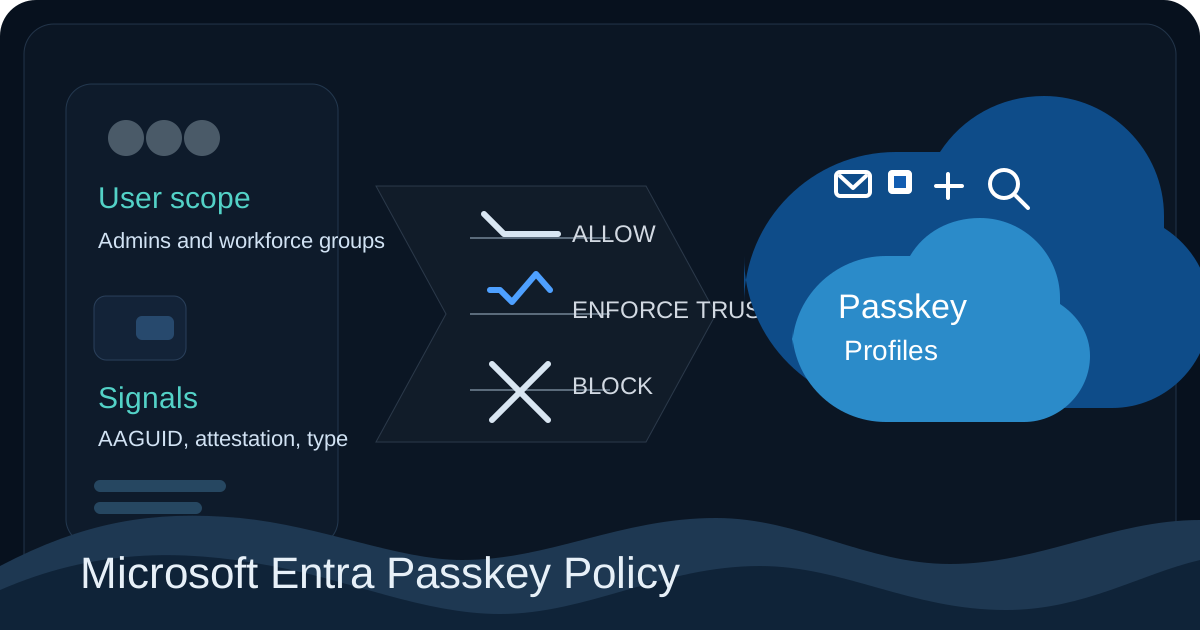
This is why the passkey profile model matters. Profiles let you move away from a single tenant-wide setting and toward policy personas. One group may be allowed to use synced passkeys because usability and recovery matter most. Another group, such as administrators, may be limited to device-bound authenticators with tighter control. A Windows Hello pilot may need a separate profile because its preview-specific requirements are different from a normal hardware security key rollout.
What the control plane evaluates
Microsoft documents in How to enable passkeys (FIDO2) in Microsoft Entra ID that passkey registration is governed by multiple conditions. Self-service setup must be enabled. The user must be targeted by a compatible passkey profile. The attempted authenticator must match the passkey type allowed by that profile. If key restrictions are enabled, the authenticator's AAGUID must be permitted. If attestation is enforced, the authenticator must provide an attestation statement that Microsoft Entra can verify.
That layered evaluation explains why administrators can believe they have "turned passkeys on" while users still cannot register. The tenant may be enabled broadly, but the user is not in scope for any compatible profile. Or the profile may exist, but the authenticator type is blocked by AAGUID restrictions. Or attestation may be required in a way the chosen authenticator cannot satisfy.
This is one of the most important design lessons in the feature. The portal surface is simple, but the backend decision path is layered and explicit.
How passkey profiles behave
Passkey profiles are policy objects, not just labels in the admin center. Each profile defines what kind of passkey behavior Microsoft Entra is willing to accept for a targeted user population. That makes profiles part of your tenant's credential governance model.
Microsoft also notes that a user can be targeted by more than one profile and that evaluation order is not guaranteed. If the attempted credential satisfies any applicable profile, registration or sign-in can succeed. This has real design implications. A broad workforce profile can unintentionally override the intent of a restrictive admin profile if the same user is targeted by both.
Imagine a tenant that wants administrators to use only device-bound passkeys with strict AAGUID restrictions. If those same administrators also remain targeted by a broad profile that allows synced passkeys, Microsoft Entra can still accept the synced path through the broader profile. The problem is not that the admin profile was misconfigured. The problem is that profile overlap changed the effective policy outcome.
This is why mature passkey design uses deliberate profile populations rather than accreted exception rules. Each profile should have a clear purpose, a clear target set, and a clear explanation of what trust tradeoff it represents.
Device-bound and synced passkeys are not the same operational model
Microsoft's synced passkey FAQ is valuable because it frames this decision operationally. Device-bound passkeys keep the private key tied to a specific authenticator boundary. Synced passkeys rely on a provider ecosystem that can make the credential available across more than one user device according to that provider's security model.
That difference is not cosmetic. It changes the lifecycle. Device-bound credentials are usually easier to reason about for privileged accounts because the custody boundary is narrower and the replacement story is more deliberate. Synced passkeys are often the right answer for broad user populations because they reduce friction during device replacement and multi-device use, but they rely more heavily on provider support and supported client combinations.
An architect should therefore avoid asking which passkey type is "more modern." The real question is which lifecycle and trust boundary fit the user population being targeted.
Why AAGUID matters
Microsoft uses the Authenticator Attestation GUID, or AAGUID, as the identifier for authenticator restrictions. As described in the passkey enablement guidance, this is the value Entra uses to identify the authenticator model being presented during registration.
That means Microsoft Entra is not making decisions based on marketing names such as "this is a YubiKey" or "this is Windows Hello." It is evaluating the concrete authenticator identity presented during the FIDO registration flow. That makes AAGUID filtering powerful, but it also means mistakes are consequential.
If the wrong AAGUIDs are allowed, the tenant can accept authenticators it did not intend to trust. If an AAGUID is later removed from policy, Microsoft documents that this can affect authentication, not just registration. Existing passkeys tied to that AAGUID can stop working. So AAGUID policy is not merely a setup-time filter. It is part of the ongoing sign-in trust model.
What attestation changes
Attestation is where passkey governance becomes a real engineering control rather than a convenience feature. Microsoft explains in its attestation guidance and in the main passkey configuration article that when attestation is enforced, the authenticator must present an attestation statement that can be validated against trusted metadata.
Operationally, attestation improves the quality of evidence Microsoft Entra has about the authenticator being registered. Microsoft explicitly notes that if attestation is not enforced, Entra cannot guarantee certain authenticator properties such as whether the passkey should truly be classified as synced or device-bound. That means disabling attestation is not merely a compatibility convenience. It is a trust tradeoff.
You may choose that tradeoff intentionally. Many tenants do. But the choice should be made knowingly. Enforcing attestation narrows compatibility and increases confidence. Relaxing attestation broadens compatibility and lowers assurance about authenticator identity and characteristics.
Why Windows Hello needs a separate lane
Microsoft's Windows passkey preview guidance exists because Windows Hello is not just another generic authenticator in this profile model. The preview path has specific requirements. The Windows Hello AAGUIDs must be explicitly allow-listed, key restrictions must be enabled, and attestation must not be enforced for that preview scenario.
That immediately tells you this should not be casually mixed into a broad workforce profile. If one scenario requires attestation not to be enforced and another scenario depends on stricter assurance, those two populations should not share the same rollout lane. A dedicated pilot profile reflects the reality that the trust assumptions are different.
A practical profile architecture
A strong tenant design usually separates passkey policy by operational intent. Standard workforce users often fit best into a profile that allows synced passkeys and aims for broad adoption with manageable support cost. Privileged identities often belong in a narrower profile that prefers device-bound authenticators, explicit AAGUID control, and stronger assurance where supported. Preview-specific paths such as Windows Hello should normally live in their own isolated profile.
This is not just cleaner configuration. It is better support design. When each profile has a defined purpose, it becomes much easier to explain why registration was accepted, why it was blocked, and what a user is expected to do next.
Key implementation points
- Passkeys in Microsoft Entra are governed through policy profiles, not just a tenant-wide enablement switch.
- Profile overlap matters because a credential can succeed if it satisfies any applicable profile.
- AAGUID restrictions are a real access-governance control and can affect both registration and later sign-in.
- Attestation materially changes how much Microsoft Entra can know and trust about the authenticator being registered.
References
- How to enable passkeys (FIDO2) in Microsoft Entra ID
- Enable Microsoft Entra passkey on Windows devices (preview)
- Frequently asked questions about synced passkeys
- Passkey (FIDO2) authentication matrix with Microsoft Entra ID
- Microsoft Entra ID attestation for passkey vendors
- John Savill video reference
About the author
MU.AMicrosoft 365 / Entra Engineer
MU.A is the editorial byline for Sentinel Identity, covering Microsoft Entra, Microsoft 365, and identity administration. Send corrections or questions through the contact page.
Feedback
Was this article helpful?
Anonymous — no account or comment required.
Related reading
Windows Hello Registration Blocked by Conditional Access
Fix Windows Hello registration blocked by Conditional Access: trace the policy, break bootstrap loops, validate TAP, and restore provisioning safely.
External IdP Passkeys for Microsoft 365: Admin Guide
Enable external IdP passkeys for Microsoft 365 apps safely: verify federation, brokers, browsers, platform scope, rollback, and sign-in evidence.
Microsoft Entra SMS and Voice Retirement: Admin Guide
Prepare for Microsoft Entra SMS and voice retirement on February 1, 2027: find affected users, deploy passkeys, preserve recovery, and avoid disruption.