
From the notebook
AADSTS50020: Why External User Sign-Ins Fail in Microsoft Entra and How to Fix Them
A detailed technical guide to AADSTS50020 in Microsoft Entra ID, including resource-tenant identity resolution, invitation redemption, cross-tenant access, and external identity design.
Overview
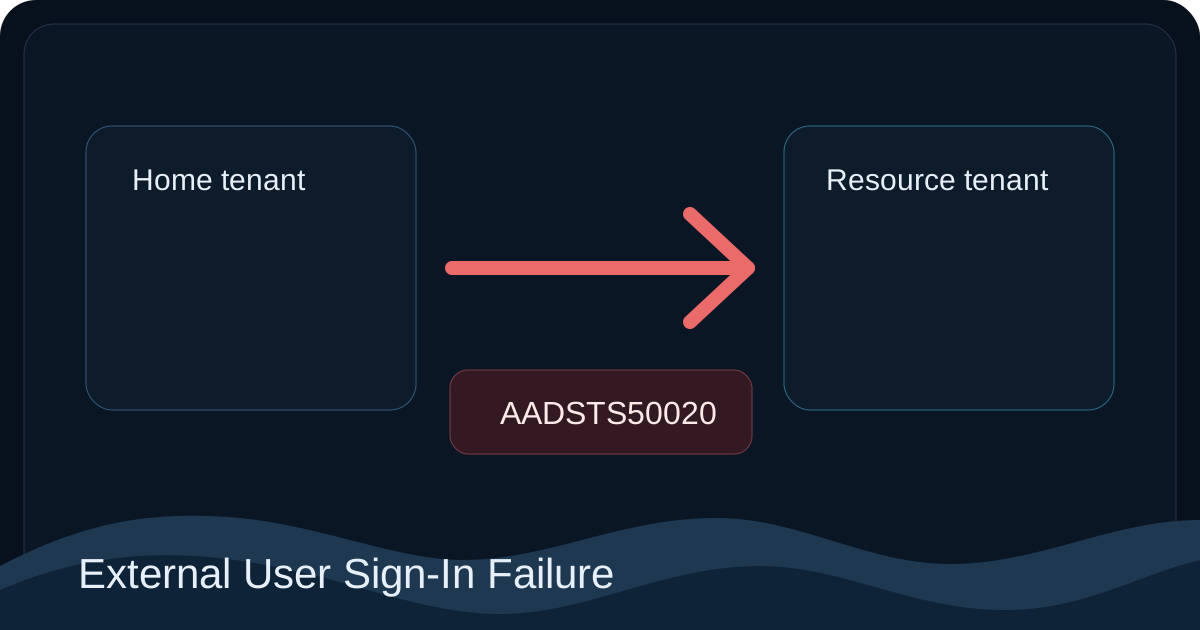
AADSTS50020 is one of the most common external-access errors in Microsoft Entra, and it is also one of the easiest to troubleshoot incorrectly. Administrators often treat it as a password issue, a random application bug, or a vague "guest access problem." Microsoft's own guidance shows that the real problem is usually much more specific: the resource tenant could not line up the incoming external identity with a valid access path for that application.
The most useful Microsoft references are Error AADSTS50020 - User account from identity provider does not exist in tenant, Microsoft Entra External ID documentation, B2B collaboration invitation redemption, Troubleshoot common issues with Microsoft Entra B2B collaboration, Cross-tenant access settings for B2B collaboration, and Reset the redemption status for a guest user in Microsoft Entra External ID.
The most important idea to keep in mind is that successful authentication in the home identity provider does not guarantee access in the resource tenant. Microsoft Entra still has to decide whether that external identity is recognized, permitted, and mapped correctly for the app that is being accessed.
The two trust boundaries behind AADSTS50020
External access problems in Entra make more sense when you separate the sign-in into two trust boundaries.
The first trust boundary is the user's home identity. That might be a work or school account in another Entra tenant, a federated identity, a personal Microsoft account, or an email one-time passcode path. This boundary is where the user proves who they are to the identity provider that owns their account.
The second trust boundary is the resource tenant. This is the tenant that hosts the target application or service. Once the user presents an authenticated identity from the home side, the resource tenant still has to answer a different set of questions:
- does this tenant know this external user in the correct identity form?
- was the invitation or onboarding path completed correctly?
- is the application expecting classic B2B collaboration, self-service sign-up, or another external-identity model?
- do cross-tenant settings allow this collaboration path?
AADSTS50020 usually means the failure happened in the second boundary, not the first.
Why invitation redemption is not just an email step
Microsoft's B2B collaboration invitation redemption guidance is essential because it explains a point many operations teams underestimate: redemption is not just the user clicking an invitation email. It is the process that binds the external identity to the resource tenant in a way the tenant can use later during sign-in and authorization.
That means there are several ways a user can appear to be "invited" while still failing at runtime:
- the guest object was never created correctly
- the invitation exists, but redemption never finished
- the invitation was redeemed with the wrong identity type
- the guest is still in a state that does not represent a fully usable collaboration relationship
From the user's perspective, the sign-in often looks close to success because the home-tenant authentication already worked. From the resource tenant's perspective, there still is no acceptable external identity to authorize.
Failure class 1: the guest object is missing or incomplete
This is the most common root cause and the one Microsoft emphasizes first. If the resource tenant does not have a valid guest representation for the external user, the target app cannot rely on that identity during access evaluation.
This class of failure often shows up in production when:
- the user was never invited into the correct tenant
- the object exists, but redemption is still pending
- the original guest object was deleted and later re-created inconsistently
- administrators assume the invitation mail proves the guest is usable
The correct validation path is to inspect the guest object in the resource tenant, confirm the redemption state, and use Microsoft's documented reset workflow in Reset the redemption status for a guest user in Microsoft Entra External ID when the binding between the guest object and the redeemed identity looks wrong.
Failure class 2: the user is reaching the wrong tenant or wrong app audience
Microsoft explicitly calls this out in the AADSTS50020 troubleshooting article because it is extremely common in multi-tenant environments. The user's credentials may be completely valid, but they are signing in to the wrong tenant context or to an application entry point that expects a different audience model.
Typical patterns include:
- a bookmarked link points to the wrong tenant-specific URL
- the app is single-tenant but the support team expects multi-tenant behavior
- the app is multi-tenant, but the resource tenant still expects guest onboarding for that specific workload
- the portal or application redirect moved the user into a tenant that does not recognize them
This is why "the user authenticated successfully" is not enough evidence. Tenant context is part of the access decision.
Failure class 3: the tenant is using the wrong external identity model for the app
Microsoft Entra External ID supports multiple patterns, and they are not interchangeable. Microsoft's External ID documentation and Add self-service sign-up user flows for B2B collaboration make clear that invited B2B collaboration, self-service onboarding, and broader external identity designs each have different assumptions.
This becomes an AADSTS50020 problem when the application design and the tenant onboarding model are out of sync. For example:
- the app was designed for invited guests, but the business is trying to onboard users through self-service sign-up
- the tenant expects self-service behavior, but the app registration and access model assume classic guest collaboration
- different teams describe the app as "external," but they are actually referring to different external identity models
In those cases, the platform is not being inconsistent. It is enforcing the model that was actually configured, not the model the team believed it had configured.
Failure class 4: cross-tenant access settings block inbound collaboration
Microsoft documents this layer in Cross-tenant access settings for B2B collaboration. This is a control-plane policy boundary that can block external access even when the guest object exists and the app itself is configured correctly.
This matters because many teams stop troubleshooting once they confirm that a guest object exists. But the existence of the guest object does not mean current inbound access settings permit the collaboration path the app is using. Default settings and organization-specific overrides can change the effective behavior significantly.
Operationally, this is one reason cross-tenant access problems are easy to miss: the object model looks right, but the policy layer still denies the collaboration path.
Failure class 5: the wrong identity type was used during redemption
Microsoft's external identity documentation also makes it clear that the same email address can participate in different identity types. That distinction matters more than many administrators expect.
A guest may have been intended to redeem with:
- a Microsoft Entra work or school account
- a personal Microsoft account
- email one-time passcode
If the user redeems with a different identity type than the one the resource tenant was designed to accept, the result is often a confusing AADSTS50020 failure. Both the admin and the user focus on the email address and assume the underlying identity must therefore be the same. Microsoft Entra does not make that assumption. It evaluates the actual identity type presented in the collaboration path.
A practical troubleshooting sequence
The shortest path to root cause is to validate the access path in the same order the resource tenant evaluates it.
1. Confirm the target tenant and app model
Identify which tenant actually hosts the target app and whether the app is single-tenant, multi-tenant, or dependent on guest onboarding. This prevents you from debugging the wrong tenant from the start.
2. Confirm the guest object exists and is usable
Inspect the guest object in the resource tenant. If the user is not represented correctly in that tenant, there is no need to keep troubleshooting browser state or credentials.
3. Confirm redemption completed correctly
Use the redemption guidance in B2B collaboration invitation redemption and, when necessary, the reset path in Reset the redemption status for a guest user in Microsoft Entra External ID.
4. Validate the collaboration model
Make sure the application's onboarding model matches the tenant's external identity design. If the app expects invited guests, self-service assumptions will create the wrong troubleshooting path.
5. Validate cross-tenant policy
Review default inbound settings and any organization-specific cross-tenant access settings that could block the collaboration path.
6. Confirm the identity type used by the user
If everything else looks correct, confirm which actual identity type the user selected during redemption and sign-in. This often resolves cases where the email address matches but the identity path does not.
Remediation principles
The correct remediation depends on which trust boundary failed.
If the issue is home-identity authentication, fix the home sign-in path. But if the error is truly AADSTS50020, the higher-value work is usually in the resource tenant: fix the guest object, correct redemption state, align the application with the intended external identity model, or adjust cross-tenant settings.
The anti-pattern to avoid is repeated credential troubleshooting. Password resets and browser cleanup may change the user experience, but they do not fix a resource-tenant identity acceptance problem.
Key implementation points
AADSTS50020is usually a resource-tenant identity resolution failure, not a generic authentication failure.- Invitation redemption is a runtime identity-binding process, not merely an email workflow.
- Tenant context, guest state, external identity model, and cross-tenant access settings all contribute to the final outcome.
- The same email address can map to different identity types, and Microsoft Entra evaluates the identity type actually used.
References
- Error AADSTS50020 - User account from identity provider does not exist in tenant
- Microsoft Entra External ID documentation
- Troubleshoot common issues with Microsoft Entra B2B collaboration
- B2B collaboration invitation redemption
- Use Microsoft Entra work and school accounts for B2B collaboration
- Add self-service sign-up user flows for B2B collaboration
- Cross-tenant access settings for B2B collaboration
- Reset the redemption status for a guest user in Microsoft Entra External ID
About the author
MU.AMicrosoft 365 / Entra Engineer
MU.A is the editorial byline for Sentinel Identity, covering Microsoft Entra, Microsoft 365, and identity administration. Send corrections or questions through the contact page.
Feedback
Was this article helpful?
Anonymous — no account or comment required.
Related reading
Microsoft Entra Account Recovery: Deployment Guide
Deploy Microsoft Entra account recovery with Verified ID, Face Check, claim validation, staged testing, monitoring, troubleshooting, and safe rollback.
Microsoft 365 Cross-Tenant Calendar Sharing Migration
Migrate Microsoft 365 cross-tenant calendar sharing safely. Inventory OrgRel, map scopes, coordinate testing, preserve rollback, and verify both tenants.
AADSTS50034 User Account Not Found: Microsoft Entra Fix
Fix AADSTS50034 user account not found errors by verifying the sign-in name, target tenant, directory object, guest state, sync health, and Windows evidence.