
From the notebook
Passkey Registration on Windows, iOS, and Android: What Actually Happens, and Why It Sometimes Doesn't
Passkey registration in Microsoft Entra looks like four taps in the demo. The production reality is a credential-issuance workflow with four checks running underneath. Here's the decision tree, the platform-specific failures I see most often, and a Graph-driven inventory of what your users have actually registered.
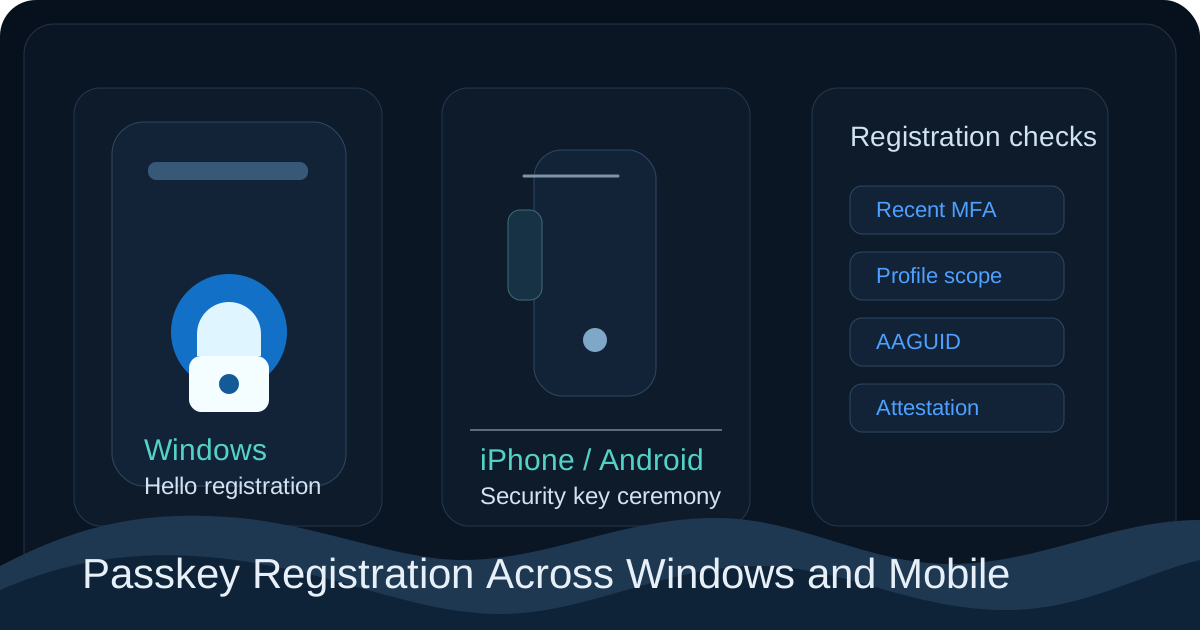
The slide-deck version of a passkey rollout makes registration look like four taps. The production reality is that registration is the credential-issuance step of a phishing-resistant authentication system, and a tenant that hasn't planned the issuance trust chain ends up with a population of users who can sign in but can't register, or who register a credential type the tenant policy then refuses to honour. Same UI, completely different outcomes, with nothing on the screen to explain why.
Every passkey registration in Microsoft Entra resolves four independent questions. Is the user allowed to register a passkey at all? Can the user prove they should be allowed to right now? Can the local platform actually host the credential type the user is trying to create? And does the tenant's passkey profile accept the specific authenticator that's offering itself? A failure at any one of the four produces the same vague user-facing symptom — "I can't add a passkey" — which is why support tickets on this topic tend to ping-pong around without anyone making progress.
What follows is the four-question decision tree, the platform-specific failure modes for Windows Hello, iOS Authenticator, Android Authenticator, and FIDO2 hardware keys, the Graph queries to inventory what your users have actually registered, and the rollout pattern that prevents the help-desk surge. The Microsoft references — register a passkey, authentication methods policy, passkey FIDO2 policy, and Temporary Access Pass — are the authoritative source for the underlying mechanics.
The four-question decision tree
Print this. Tape it to the help-desk wall. Most passkey tickets close faster than the user can finish describing the symptom once you start at question one and walk forward.
[1] Is the user enabled for FIDO2 / passkey in Authentication Methods policy?
       NO  -> Method is hidden in Security info. Fix the policy targeting.
       YES -> Continue.

[2] Has the user satisfied MFA within the last 10 minutes?
       NO  -> "Sign-in interrupted" prompts re-auth, or registration silently fails.
              Either ensure they have a usable MFA method, or issue a Temporary
              Access Pass.
       YES -> Continue.

[3] Can the local platform host the credential type the user is selecting?
       NO  -> Windows Hello: "Your device does not support this option."
              iOS / Android: ceremony exits silently or with a generic error.
              Switch platform path (security key, phone, paired device).
       YES -> Continue.

[4] Does the tenant's passkey profile accept this authenticator's AAGUID
    and attestation?
       NO  -> Ceremony completes locally, registration fails at Entra
              with a generic "We weren't able to add this method."
              Update the passkey profile allowlist, relax attestation,
              or steer the user to an allowed authenticator.
       YES -> Registration succeeds.
The diagnostic order is what makes the tree useful. The reflex on a "user can't register a passkey" ticket is to open the FIDO2 policy first because that's the surface admins know best. Don't. Half the time the answer is at question two or four, and the policy itself is fine.
What registration actually does at the credential layer
Three things happen on a successful registration. The authenticator (Windows Hello chip, iPhone Secure Enclave, Android TEE/StrongBox, or a hardware FIDO2 key) generates a public/private key pair. The private key never leaves the authenticator — Entra never sees it, you never see it, the OS doesn't expose it. That's the property that makes passkeys phishing-resistant; there's nothing for a phisher to trick the user into typing because there's nothing to type. The public key, the AAGUID of the authenticator, and (if attestation is required) the attestation statement are sent to Entra, where Entra stores the public key against the user, records the AAGUID, validates the attestation, and from that moment forward the user can present an assertion signed by the matching private key to satisfy sign-ins.
The thing the tenant gets to decide, and the thing administrators most often forget they decided, is which AAGUIDs are acceptable and whether attestation is required. AAGUID is a 128-bit identifier baked into every FIDO2 authenticator that identifies its make and model. YubiKey 5C has one AAGUID, Microsoft Authenticator's passkey implementation has another, Windows Hello has its own. The passkey profile lets you allowlist or blocklist AAGUIDs. Authentication Strengths can require attested phishing-resistant credentials. If your tenant requires attestation and the user attempts to register an authenticator whose vendor doesn't sign attestation statements (or whose attestation root isn't in Entra's trust list), the local ceremony succeeds but Entra rejects the credential at storage. Single most common cause of "the user clicked through everything and it still failed," in my experience.
Why "MFA in the last ten minutes" matters more than it sounds
Microsoft requires recent strong authentication before passkey registration for the same reason a bank requires re-auth before adding a new payee. Registration of a new strong credential is itself a high-value action. If it could be performed from a weak or stale session, an attacker who phished a single password could establish persistent phishing-resistant access.
Two consequences worth being explicit about. Users without any MFA method registered cannot register a passkey, period. They need at least one method (even a phone call) to satisfy the prerequisite, or an admin needs to issue them a Temporary Access Pass. Don't tell new hires "your passkey is your first credential" — that flow doesn't exist, and you'll spend the first day of every onboarding manually unblocking people. And TAP is the canonical bootstrap. Issue a one-time-use TAP with a one-to-four hour lifetime, have the user satisfy it via Security info, register the passkey, let the TAP expire:
Connect-MgGraph -Scopes "UserAuthenticationMethod.ReadWrite.All"
$user = Get-MgUser -UserId "new.hire@contoso.com"
New-MgUserAuthenticationTemporaryAccessPassMethod -UserId $user.Id `
    -LifetimeInMinutes 60 -IsUsableOnce:$true
The cmdlet returns the TAP value. Send it via whatever out-of-band channel you trust (HR system, in-person handover, an authenticated portal — never email, because the whole point of passkeys is to make email-based credential bootstrap irrelevant).
Platform by platform, what to watch for
Windows 11 with Windows Hello as the passkey provider. The Web Account Manager and Windows Hello together act as the passkey provider, the credential is generated and stored in the TPM, and the AAGUID Entra sees identifies the Windows Hello passkey provider rather than the user's specific TPM model. The failures I see here: TPM unavailable or unhealthy (look at Get-Tpm in elevated PowerShell — if TpmReady is false, registration can't proceed); Windows Hello PIN not configured (WHfB requires a PIN as the gesture, and if the user has only ever signed in with a password, the registration ceremony stops at the PIN-setup step); the Windows Hello passkey AAGUID not allowlisted in the tenant profile (the Windows passkey is shipping under a distinct AAGUID that tenants with strict profiles need to add explicitly); and attestation required when Windows Hello's passkey provider doesn't currently sign attestation. The last one is a popular trap — either drop attestation enforcement, or steer Windows users to hardware FIDO2 keys.
iOS with Microsoft Authenticator. On iOS 17 and above, the Microsoft Authenticator app holds the passkey in the Secure Enclave. The user needs the app installed, signed in to their work account, and the device running a supported iOS version. The failures: Bluetooth disabled during cross-device registration (registering from a desktop using the phone as the authenticator uses CTAP-over-caBLE, which is Bluetooth-mediated, and the ceremony hangs at the QR-code screen if Bluetooth is off); iCloud Keychain confusion (Apple's native passkey path uses iCloud Keychain, Microsoft Authenticator's path uses the Secure Enclave directly without iCloud sync, and users sometimes register with the Apple path expecting it to be the work passkey — it isn't, the work account is a separate credential, confirm via Security info not the iOS Passwords app); and Authenticator app versions older than the documented minimum, which simply don't expose passkey registration.
Android with Microsoft Authenticator. Android needs a hardware-backed Keystore (Secure Element or TEE) for the Authenticator app to store the private key in hardware. Devices without it can register but the credential is stored in software, and the tenant policy can refuse to accept software-backed credentials. The repeat offenders: hardware Keystore not present (common on older or budget devices, error messages vary depending on Authenticator version); multiple Google accounts on the device confusing the passkey-provider chooser dialog (have the user explicitly select Microsoft Authenticator, not Google Passwords); and Android versions below the documented minimum (typically Android 14 for current Authenticator releases).
Hardware FIDO2 keys (YubiKey, Feitian, Token2, others). Cleanest path, most predictable failures. The key carries its own AAGUID and attestation statement, so the failure modes are about your tenant's policy rather than the device's capability. The repeat offenders: AAGUID not on your allowlist (find it in the vendor docs or a public AAGUID lookup, add it to the passkey profile); browser missing WebAuthn USB or NFC permission (Chrome on Linux often needs explicit udev rules, Safari on macOS needs the system to recognise the USB device); and firmware too old for FIDO2 / CTAP2 (some early-generation keys are U2F-only and can't register passkeys at all).
A Graph-driven inventory of what's actually registered
You can't manage what you can't see, and the portal's per-user view doesn't give you a population-level read. The query below dumps every user's registered passkey methods with AAGUID and attestation details into a CSV you can pivot on:
Connect-MgGraph -Scopes "UserAuthenticationMethod.Read.All", "User.Read.All"

$users = Get-MgUser -All -Property Id,UserPrincipalName,DisplayName

$report = foreach ($u in $users) {
    $methods = Get-MgUserAuthenticationFido2Method -UserId $u.Id -ErrorAction SilentlyContinue
    foreach ($m in $methods) {
        [pscustomobject]@{
            UserPrincipalName = $u.UserPrincipalName
            DisplayName       = $u.DisplayName
            MethodDisplayName = $m.DisplayName
            AAGUID            = $m.AaGuid
            Model             = $m.Model
            CreatedDateTime   = $m.CreatedDateTime
            AttestationLevel  = $m.AttestationLevel
        }
    }
}

$report | Export-Csv -Path passkey-inventory.csv -NoTypeInformation
Same data via KQL on the audit log for the registration events themselves:
AuditLogs
| where TimeGenerated > ago(90d)
| where OperationName == "Register security info"
| extend Method = tostring(TargetResources[0].modifiedProperties[0].newValue)
| where Method has_any ("Passkey", "FIDO2", "Authenticator")
| project TimeGenerated,
          Initiator = tostring(InitiatedBy.user.userPrincipalName),
          Target    = tostring(TargetResources[0].userPrincipalName),
          Method,
          Result    = tostring(Result),
          CorrelationId
| order by TimeGenerated desc
Patterns worth looking for in the output: users with no phishing-resistant method at all (still on SMS, push, voice — your remaining MFA-only population, and your next outreach target); AAGUIDs you didn't allowlist appearing in the registrations (either your policy is more permissive than you thought or someone found a workaround, investigate); and bulk registrations from a single admin in a short window (could be legitimate bootstrap, could be help-desk insider risk, audit either way).
The rollout pattern
The order that works:
Turn FIDO2 on in Authentication Methods policy for a pilot group, with attestation off initially. Drive pilot users to Security info with a one-page how-to. Use TAP to bootstrap anyone without an MFA method registered yet. Inventory what gets registered with the Graph query above — you'll discover which AAGUIDs your population actually uses, which is usually a wider mix than you expected. Tighten the passkey profile to allowlist exactly those AAGUIDs, which moves you from "register anything" to "register only known-good authenticators" without locking anyone out retroactively. Roll registration to the next ring. Repeat.
Only once registration is stable across rings do you turn on the Authentication Strength policy that requires phishing-resistant MFA for sign-in. Order matters. Requiring something users haven't registered is the rollout pattern that locks people out.
Things I get asked
Why does a user with a working YubiKey on another tenant get rejected on ours? Almost certainly an AAGUID allowlist mismatch. Each tenant's passkey profile is independent. Find the YubiKey model's AAGUID in Yubico's documentation and add it.
A user successfully registered yesterday but the sign-in policy now blocks them. Why? You tightened an Authentication Strength after the registration. Either the registered method satisfies the new strength (in which case investigate further — could be a session issue) or it doesn't (revisit the AAGUID and attestation requirements in the strength policy).
Can a user have a passkey and SMS as a fallback? Yes, and during the rollout phase you usually want them to. Authentication Strength is what decides which method is acceptable for any given sign-in. The presence of SMS doesn't force the user to use it — it just provides a fallback when the passkey isn't reachable. Plan to retire SMS once passkey adoption is stable.
Why does the iOS Authenticator passkey work for Outlook on the phone but not for sign-in on a desktop browser? Cross-device flows (phone-as-authenticator for a desktop session) need Bluetooth on the phone and proximity to the desktop. If either is missing, the desktop browser falls back to whichever passkey provider the desktop has locally, which may not be your work account's. The fix is either to register a desktop-local passkey (Windows Hello, Touch ID via the work account in Authenticator) or to ensure Bluetooth is on and the user is physically near the desktop during sign-in.
Is a passkey portable between providers? Generally no. A passkey created in Microsoft Authenticator on iOS lives in the Secure Enclave and isn't exported. The user would register a separate passkey in iCloud Keychain or another provider if they wanted one there. Cross-provider portability is in progress at the FIDO Alliance ("CXP") but not generally available.
Where to read further
- Register a passkey (FIDO2) — Microsoft Learn
- Enable passkeys in Microsoft Entra ID — Microsoft Learn
- Microsoft Entra passkey on Windows devices — Microsoft Learn
- Authentication strengths — Microsoft Learn
- Temporary Access Pass — Microsoft Learn
- Authentication methods policy — Microsoft Learn
- FIDO2 compatibility matrix — Microsoft Learn
Get-MgUserAuthenticationFido2Method— Graph PowerShell SDK
About the author
MU.AMicrosoft 365 / Entra Engineer
MU.A is the editorial byline for Sentinel Identity, covering Microsoft Entra, Microsoft 365, and identity administration. Send corrections or questions through the contact page.
Feedback
Was this article helpful?
Anonymous — no account or comment required.
Related reading
Windows Hello Registration Blocked by Conditional Access
Fix Windows Hello registration blocked by Conditional Access: trace the policy, break bootstrap loops, validate TAP, and restore provisioning safely.
External IdP Passkeys for Microsoft 365: Admin Guide
Enable external IdP passkeys for Microsoft 365 apps safely: verify federation, brokers, browsers, platform scope, rollback, and sign-in evidence.
Microsoft Entra SMS and Voice Retirement: Admin Guide
Prepare for Microsoft Entra SMS and voice retirement on February 1, 2027: find affected users, deploy passkeys, preserve recovery, and avoid disruption.