
From the notebook
How To Roll Out MFA in Microsoft 365 Without Locking Out the CEO on a Monday Morning
MFA in a small tenant is a Saturday evening. In a real one with hybrid identity, legacy clients, service accounts, and a help desk that's already backed up, it's a months-long programme. Here's the ring-based rollout that gets you to phishing-resistant MFA without an inbox full of lockout tickets.
Turning on MFA for fifty users is a Saturday evening. Turning it on for fifteen thousand is a different sport. Somewhere between those two numbers — usually around the point you discover that the finance team has a long-running OAuth grant to a budgeting tool that nobody documented, and that the help desk's own accounts use phone-call MFA, and that there are eighty-three service accounts which can't do MFA at all by definition — the conversation stops being about a configuration toggle and starts being about a delivery programme. Done badly, it produces a Monday morning ticket queue with the CEO at the top. Done well, almost nobody outside the identity team notices it happened.
The control surface for MFA in Microsoft Entra has also been changing under everyone's feet. Per-user MFA, Security Defaults, Conditional Access, Authentication Strengths, and the more recent admin-MFA mandate from Microsoft all coexist in the same tenant. Picking the right surface for each population, and migrating cleanly between them, turns out to be the work. The actual rollout sequence — pilot, power users, all employees, B2B — is the easy bit once the surface is settled.
This piece is the playbook I'd hand someone running their first large MFA programme. We'll cover which control surface to use, the rings that work, how Authentication Strength fits in, the exception design for service accounts and partners, the telemetry to watch through the change window, and the rollback criteria worth writing down before you start, not after.
The five things that all claim to enforce MFA
This is the first source of confusion. In a single tenant there are at least five mechanisms that look like they enforce MFA, and they don't combine the way you'd expect.
Per-user MFA is the legacy toggle on each user object. Microsoft is deprecating the per-user state in favour of Conditional Access. New deployments shouldn't start here. Existing tenants that use it need a migration plan.
Security Defaults is a free tenant-wide policy bundle that enforces MFA for everyone, blocks legacy auth, and protects privileged actions. It's fine for very small tenants. It can't be granular, and it's mutually exclusive with Conditional Access, so you can't have both.
Conditional Access grant controls are the modern path. A CA policy can require MFA across any scope you can express — users, groups, apps, locations, devices, risk. This is where almost all enterprise MFA enforcement lives in 2026.
Authentication Strength policies stack on top of CA. They specify which methods satisfy MFA — for example, only phishing-resistant ones like FIDO2 / passkeys / Windows Hello for Business. The distinction matters because "MFA satisfied with SMS" passes a generic MFA grant but fails a phishing-resistant strength.
Authentication Methods policy controls which methods can be registered and used at all. It's the foundation layer — if you turn off SMS here, no users can register or use it regardless of what your CA policy demands.
The trap that catches everyone: Conditional Access cannot enforce an Authentication Strength on a user who is in per-user MFA Enforced state. The runtime treats the per-user MFA satisfaction as sufficient and never invokes the CA grant. This is the single most common reason a "passkey-only" policy quietly accepts a phone-call MFA. If you're enforcing strengths, the per-user state must be Disabled for every targeted user.
The four decisions worth making before any policy gets written
Almost every successful rollout I've seen got these four right and almost every messy one got at least one wrong.
The first is control surface. For tenants larger than about fifty users, it's Conditional Access plus Authentication Strengths. Per-user MFA is end of life. Security Defaults are fine for small tenants. There isn't really a fourth option.
The second is the target strength. The built-in Authentication Strength options are Multifactor authentication (the broad bucket — push, SMS, voice, etc) and Phishing-resistant MFA (passkeys, FIDO2 keys, WHfB, certificate-based auth). Most enterprises in 2026 should be aiming at phishing-resistant for admins right now, phishing-resistant for everyone within twelve months, and multifactor as the intermediate state. The matrix of which method satisfies which strength is documented here and is worth keeping open in a tab while you plan.
The third is how exceptions get expressed. Every rollout needs at least three permanent exceptions: break-glass accounts that aren't subject to MFA so you can recover the tenant, service principals that can't do interactive MFA at all, and a handful of emergency-access B2B guests for partner support. The question is whether you express each as a group membership or as named exclusions on each policy. Groups scale, named exclusions create policy sprawl, so the answer is groups. One group per exception class, named so the audit trail is obvious (mfa-excluded-breakglass, mfa-excluded-svcaccts, mfa-excluded-b2b-emergency).
The fourth is communication, and it's the one most often skipped. The dominant cause of botched MFA rollouts is users not knowing the prompt is coming, not knowing what to register, and not knowing how to recover. Communication starts four weeks before the first ring, with reminders at two, one, and zero weeks. Help desk needs to be at 1.5× capacity for the first week of each ring.
The ring shape that works
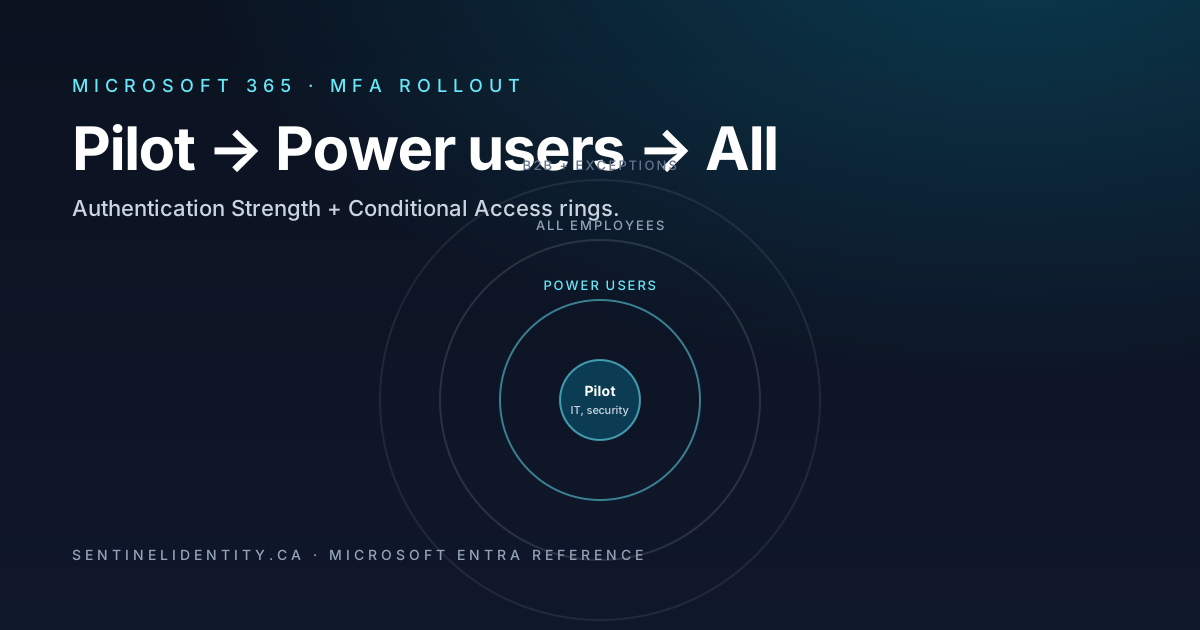
The pattern is borrowed from Windows update rings and it works for the same reasons. Four rings is the right number for most tenants.
Ring 0 is the pilot, around fifty users — the identity and security teams. The purpose is to validate the policy template end-to-end and catch the obvious "this policy targets all users including service accounts" type bugs before they cost you anything.
Ring 1 is power users, around five percent of the workforce, including the help desk. The point of including the help desk specifically is that they have to support prompts they themselves are seeing. If MFA is new to them, every ticket takes twice as long.
Ring 2 is most of the workforce. By the time you reach it, the policy template has been tested, the help desk has muscle memory, and the exception groups are settled. This is the bulk of the rollout.
Ring 3 is B2B guests and partner accounts, last because partner workflows are the least understood and break in the most creative ways. You don't want to discover that one of your partners' identity teams uses an authentication method your strength policy rejects on the same day you're trying to onboard a new B2B integration.
The implementation trick worth knowing: build the rings as dynamic groups keyed on a user attribute (something like extensionAttribute1 set to mfa-ring-1). Then the rollout is "move users between attribute values" rather than "edit Conditional Access policies in production." Editing CA in production is high stakes; moving people between attribute values is low stakes and reversible.
A minimum-viable policy template
For each ring, the policy looks roughly like this:
- Users: include the ring group, exclude break-glass and service accounts and the B2B exception group.
- Target resources: all cloud apps. You can scope to Office 365 only on the first ring if you want to leave non-Office surface untouched.
- Conditions: none initially. Add Client apps later if you want to differentiate browser from mobile.
- Grant: Require multifactor authentication, or
Require authentication strength = Multifactor authenticationfor the first wave. Switch toRequire authentication strength = Phishing-resistant MFAfor the second wave. - Session: Sign-in frequency = "Every time" for privileged actions; defaults elsewhere.
- State: report-only first, then on after a week of clean logs.
Microsoft's Common policy: Require MFA for all users is the canonical reference. Don't deviate from the template unless you have a specific reason.
Phishing-resistant: register, then enforce
This is the order that doesn't lock people out. Enforcing a strength before users have registered a method that satisfies it produces lockouts at scale. Open registration first.
Start by enabling passkeys (Microsoft Authenticator), FIDO2 security keys, and WHfB in Authentication Methods policy, alongside whatever's already there. Then drive registration via Security Info self-service — point users at https://aka.ms/mysecurityinfo with a one-page instruction sheet. Track adoption via the Authentication Methods registration report.
When the population's registration coverage looks healthy (I'd want above ninety percent in the target ring before tightening), add a phishing-resistant Conditional Access policy in report-only mode. Watch the report-only verdicts for at least two weeks. Anyone showing up as "would have failed" hasn't registered yet — outreach them individually.
Communicate the cutover date. Three reminders. Then flip the policy from report-only to enforced. Help desk on standby.
Two things worth being firm about. Don't move from report-only to enforced for all users in one step — do it ring by ring. The blast radius matters more than the calendar. And don't combine "first time turning on passkeys" with "first time enforcing phishing-resistant strength" in the same change window. They're separate concerns, register first, enforce second.
Privileged accounts get their own policy
Admin accounts aren't on the user rings. They get a separate Conditional Access policy from day one, targeting the built-in Entra roles — Global Admin, Privileged Role Admin, Security Admin, CA Admin, Exchange Admin, SharePoint Admin, and so on. The policy requires phishing-resistant strength, sign-in frequency of "every time" for privileged actions, and a compliant device where the role supports it. Only break-glass accounts are excluded. This policy is on from day one because admin accounts need protection from day one, not at the end of the rollout.
Service accounts and B2B done right
Service accounts (the user-object kind) shouldn't be performing interactive MFA, and the question to ask isn't "how do we exclude them from MFA" but "why are these still user accounts?" The right pattern is:
Move every service account to a Service accounts group. Exclude the group from MFA policies. Then replace the service account with a workload identity, managed identity, or service principal with certificate auth or federated identity credential, on the next refactor of whatever script uses it. Apply a separate Conditional Access policy for workload identity sign-ins that restricts to a known IP range and blocks risk-classified workload sign-ins.
A service account "excluded from MFA" with no compensating control is a credential-theft target. Excluding from MFA has to be paired with location restriction, IP allowlisting, or migration to workload identity. There's no version of "no MFA, no compensating control" that's safe.
B2B guests get their own policy that requires MFA when the guest accesses your resources. The MFA can be performed by the guest's home tenant or by yours via the cross-tenant access settings. Whether you trust the partner's MFA is configurable per partner. For partners you trust, accept their MFA satisfaction and avoid re-prompting your guests. For partners you don't, require MFA on your side.
Telemetry to watch through each ring
Every ring should run for at least seven days before moving to the next, and during those seven days the on-call identity engineer is watching two queries.
The first is daily failure counts attributable to the new policy:
SigninLogs
| where TimeGenerated > ago(7d)
| mv-expand policy = ConditionalAccessPolicies
| where tostring(policy.displayName) == "MFA - Ring 2 - All employees"
| summarize Failures = countif(tostring(policy.result) == "failure"),
            Successes = countif(tostring(policy.result) == "success")
            by bin(TimeGenerated, 1d)
| order by TimeGenerated asc
The second is users in scope who haven't registered a satisfying method, which is the predictive signal for next week's lockouts:
SigninLogs
| where TimeGenerated > ago(7d)
| mv-expand policy = ConditionalAccessPolicies
| where tostring(policy.displayName) == "MFA - Phishing resistant - Admins"
| where tostring(policy.result) == "failure"
| summarize Failures = count() by UserPrincipalName
| join kind=leftouter (
    AuditLogs
    | where TimeGenerated > ago(60d)
    | where OperationName has "Register security info"
    | extend RegisteredUpn = tostring(TargetResources[0].userPrincipalName)
    | summarize Registrations = count() by RegisteredUpn
) on $left.UserPrincipalName == $right.RegisteredUpn
| project UserPrincipalName, Failures, Registrations
| where isnull(Registrations) or Registrations == 0
The first tells you whether enforcement is working. The second tells you who is about to be locked out. The list from the second query is your weekly outreach target.
Rollback criteria, written before the change window
A ring should be rolled back if any of the following is true twenty-four hours in:
- More than two percent of in-ring users have filed help-desk tickets attributable to the policy.
- A single named high-priority application (decided in advance — usually Outlook mobile, Teams, or the corporate VPN) is producing widespread auth failures.
- Sign-in failures correlated with the policy display name exceed five percent of in-ring sign-in volume.
Rollback means toggling the policy from On back to Report-only, not deleting it. You always want to be able to revert in a single click. The criteria need to be written down and agreed on before the change window — not negotiated mid-incident with people who have varying degrees of skin in the game.
A few questions I keep getting
Should Security Defaults stay on while we roll out CA? No. They're mutually exclusive. Turning off Security Defaults is the prerequisite for any CA-based MFA enforcement. The toggle is documented here.
Does Microsoft Authenticator push satisfy phishing-resistant MFA? No. Neither do SMS, voice, or OATH tokens. The methods that do satisfy phishing-resistant are passkeys (in Authenticator), FIDO2 keys, WHfB, and certificate-based authentication.
What strength should I require for the help desk? Phishing-resistant. The help desk is the highest-leverage social-engineering target in any organisation. Phone-call MFA on a help desk account is a known attack pattern. They should be on the first ring with phishing-resistant enforced.
A user genuinely can't use any phishing-resistant method — accessibility case. What now? Document the exception, move them to a named exception group, exclude the group from the phishing-resistant policy, and pair the exception with a compensating control. Tighter Conditional Access restricting them to a managed device on a corporate network, plus enhanced sign-in monitoring. Exceptions are fine. Unmonitored exceptions aren't.
When can I disable legacy authentication? Before Ring 1 finishes. Blocking legacy auth is a foundational policy. Put it on in report-only from week one and enforce it before MFA is enforced. Legacy clients bypass modern auth and therefore bypass MFA, so leaving them enabled defeats the whole programme.
Where to read further
- Authentication strengths — Microsoft Learn
- Migrate from per-user MFA to Conditional Access — Microsoft Learn
- Common policy: Require MFA for all users — Microsoft Learn
- Block legacy authentication — Microsoft Learn
- Cross-tenant access settings — Microsoft Learn
- Workload identity Conditional Access — Microsoft Learn
- Authentication Methods activity report — Microsoft Learn
About the author
MU.AMicrosoft 365 / Entra Engineer
MU.A is the editorial byline for Sentinel Identity, covering Microsoft Entra, Microsoft 365, and identity administration. Send corrections or questions through the contact page.
Feedback
Was this article helpful?
Anonymous — no account or comment required.
Related reading
25 Active Directory Interview Questions and Answers
Twenty-five practical Active Directory interview questions with clear, technically accurate answers covering AD DS, DNS, Kerberos, replication, Group Policy, recovery, and security.
SPF, DKIM, and DMARC for Microsoft 365: A Working Guide to Getting Email Authentication Right
The wizard makes adding a domain to Microsoft 365 look like a checklist. Then six months later marketing wonders why their broadcasts are landing in spam. Here's the order to configure SPF, DKIM, and DMARC for an EXO tenant, the seven mistakes I see most often, and the staged DMARC enforcement that doesn't break payroll.
Microsoft Entra Primary Refresh Token (PRT) Failures on Windows: Reading dsregcmd Output and Fixing the Common Causes
A detailed technical guide to Microsoft Entra Primary Refresh Token failures on Windows, including dsregcmd analysis, device trust, broker behavior, network dependencies, and remediation design.