
From the notebook
Forward Lookup Zones in Windows DNS: What They Are, How AD-Integrated Zones Work, and How To Set One Up Properly
A forward lookup zone is the database on a DNS server that answers 'what's the IP address for this hostname.' In a Windows Server environment running Active Directory, the choices you make when creating that zone — primary vs secondary vs AD-integrated, who replicates it, who can update records in it — determine whether your forest is robust or fragile for years afterward. Here's the full picture, written for someone who knows DNS exists but hasn't actually configured a Windows DNS server before.
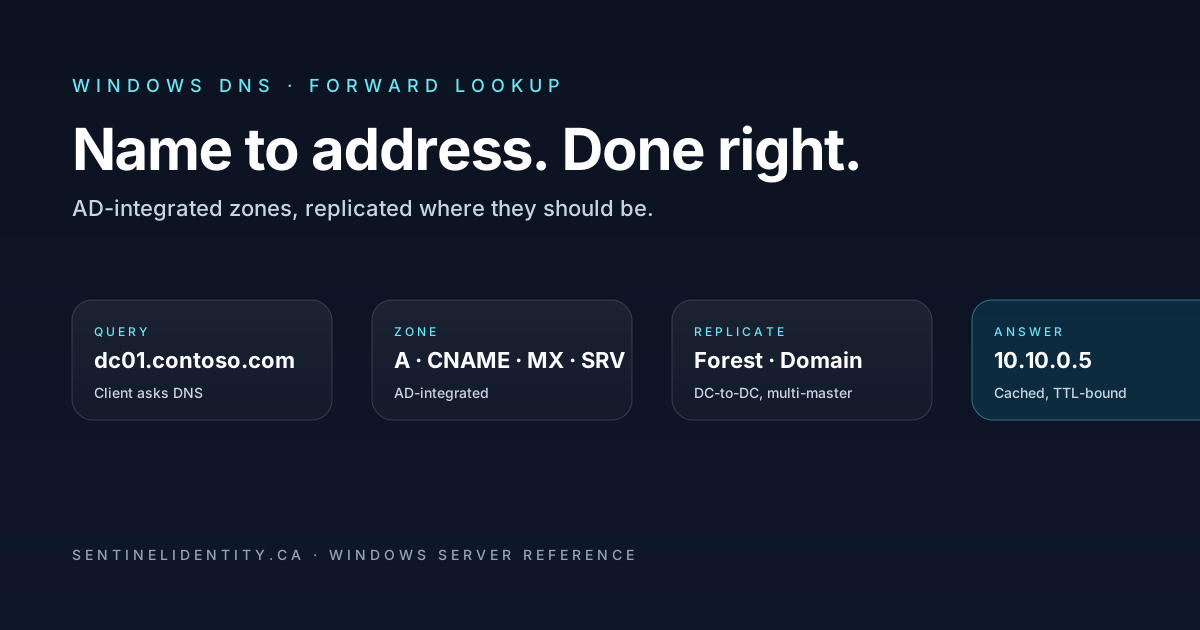
Every time a domain-joined Windows client logs in, opens Outlook, mounts a file share, or contacts its update server, a DNS query goes out asking for the IP address that corresponds to a hostname. The DNS server on a domain controller answers that query by looking up the hostname in a database called a forward lookup zone. The zone is the unit of organisation: one zone per DNS namespace the server is authoritative for. For a forest called contoso.com, there's a forward lookup zone called contoso.com that contains every record clients need to find domain controllers, member servers, services, and each other.
A "forward" lookup is just DNS's name for name-to-address resolution (dc01.contoso.com → 10.10.0.5). The opposite direction (address-to-name, like 10.10.0.5 → dc01.contoso.com) lives in a different kind of zone called a reverse lookup zone, which has its own article. This post is about forward zones — what they are, the different types Windows DNS can host, how AD-integrated zones replicate themselves across domain controllers automatically, and the three configuration choices at zone-creation time that quietly determine whether your zone is healthy for the long term.
If you've installed the DNS Server role on a domain controller and clicked through the wizard accepting all the defaults, you have a working forward lookup zone for your AD domain right now. That's the happy path and most environments live there. The point of this article is the layer underneath that wizard — what each of the choices it offered actually means, why AD-integrated is the right answer in 99% of cases, what the replication-scope dropdown is really doing, and what to change from defaults before the zone hits production.
Where forward lookup zones fit in the DNS picture
Three pieces of DNS terminology that get mixed up:
A DNS server is the Windows Server role that runs the DNS Windows service and answers queries. A single DNS server can host many zones.
A DNS zone is one named portion of the DNS namespace that the server is authoritative for. The zone contoso.com is one zone; the zone partner.local could be another zone on the same server; _msdcs.contoso.com (the AD discovery zone) is another. Inside each zone live the actual records.
A DNS record is one entry inside a zone. dc01 (with type A and data 10.10.0.5) is a single record inside the contoso.com zone. Records are what clients ultimately get back in query responses.
Forward lookup zones contain forward records. Reverse lookup zones contain pointer records. Stub zones contain nameserver pointers to elsewhere. Forwarders aren't zones at all — they're a configuration that tells the server where to send queries it can't answer locally. Most of what people call "DNS configuration" is really "what zones do I have, how are they replicated, and what records are in them," with forwarders as a small server-level setting on top.
In an AD environment, the forward lookup zone for the AD domain holds two distinct kinds of records: ordinary host records (the A, AAAA, CNAME entries for servers and workstations) and service location records (the SRV records under _ldap._tcp, _kerberos._tcp, _gc._tcp and similar that clients use to find domain controllers). Without the SRV records, AD itself stops working from a client's perspective even if every other DNS record is fine. The zone holds both because they're naturally organised under the same namespace, but only the SRV side is genuinely AD-specific.
Vocabulary you'll see throughout
Six terms that come up in the rest of this article and in every Microsoft Learn doc on Windows DNS. Worth pinning down once.
Zone type. Whether this server holds the master copy, a read-only copy from somewhere else, a forwarding pointer, or stores the zone inside Active Directory. Four values: Primary, Secondary, Stub, Active Directory-integrated.
Replication scope. For AD-integrated zones only: which set of domain controllers in the forest gets a copy of the zone. Four values: All DNS servers in the forest, All DNS servers in the domain, All DCs in the domain (legacy), Custom directory partition.
Dynamic update. Whether clients can register their own records in the zone without admin intervention. Three values: None, Nonsecure and secure, Secure only.
SOA record. The Start of Authority record that exists at the top of every zone. It contains administrative metadata: the primary nameserver, the email of the zone admin, the serial number that tracks updates, and timing values for secondaries. You rarely touch it directly but you'll see it referenced in any zone troubleshooting.
NS record. A Nameserver record that says "this server is authoritative for this zone." Every zone has at least one NS record (pointing at the primary nameserver) and usually several (pointing at any secondaries or AD-replication-target DCs).
Glue record. An A or AAAA record that's needed alongside an NS record because the NS record points at a hostname that itself lives inside the same zone the NS record is in. The glue record breaks the chicken-and-egg by providing the IP directly. Mostly automatic in Windows DNS; worth knowing the name when you read about delegations.
When you'd actually create a forward lookup zone
Three concrete situations where you find yourself creating a forward zone, in roughly the order they come up.
Setting up the first DC in a new AD forest. When the Install-ADDSForest cmdlet (or the AD DS Configuration Wizard) installs the first DC, it offers to install the DNS Server role and create an AD-integrated forward lookup zone for the forest root domain automatically. This is the standard path and the right answer 99% of the time. The zone is created, the DC registers itself as the primary nameserver, the SRV records get populated, clients can find the DC. You're done with no zone-creation steps you have to do manually.
Adding a new namespace for a subsidiary, acquired company, or partner integration. You already have contoso.com as your main AD zone. The marketing team spins up contosolabs.com as a separate brand and wants internal DNS for some new infrastructure under that name. You create a new AD-integrated forward lookup zone called contosolabs.com on the existing DNS servers, manually create the records you need, and clients now resolve names in both zones from the same DCs. The zone is separate but the underlying servers and replication topology are shared.
Migrating a zone off BIND or another non-Windows DNS server. The zone exists on a BIND server today and you want it on Windows DNS. You create a Primary zone on Windows DNS with the same name, import the records (either via zone transfer if BIND will allow it, or by hand if not), point clients at the new server, and decommission the old one. Once it's on Windows you usually convert it to AD-integrated to get the benefits.
Hosting a split-brain version of an external domain internally. Your company owns contoso.com as a public domain (the website, the mail records, all the things external people see). You also want intranet.contoso.com to resolve to internal IPs that aren't published externally. You create a forward lookup zone called contoso.com internally with internal records, plus a separate set of records publicly. Internal clients hit your DNS and get the internal answers; external clients hit your public DNS and get the public answers. The zones have the same name but exist on different servers and contain different records. This is the split-brain DNS pattern and it's the most error-prone of the four scenarios.
Outside these scenarios, you usually don't need to create forward lookup zones. The DC promotion wizard handles the main case automatically; the others are deliberate decisions you make once when the situation arises.
Zone types — primary, secondary, stub, AD-integrated
Four zone types, four different storage and authority models. In 2026 you'll almost always want AD-integrated for any zone hosted on a DC in an AD environment. The other three exist for specific situations.
A primary zone stores the master read-write copy of the zone in a flat file on the DNS server's disk (typically %windir%\System32\DNS\<zonename>.dns). The primary owns the records; any changes happen on the primary; secondaries pull updates from the primary via zone transfers. Useful when you're standing up DNS on a non-AD server, or when you need a single point of authority that isn't replicated by AD.
A secondary zone is a read-only copy of a zone whose primary lives elsewhere. The secondary periodically pulls the zone (via the zone-transfer protocols AXFR for full transfers, IXFR for incremental) from a primary or another secondary. Clients can query a secondary; if the answer is current, the secondary serves it without contacting the primary. Useful in mixed environments where the authoritative DNS is on BIND and you want a local read replica on Windows.
A stub zone is a tiny record set that contains only the NS records (and corresponding glue) for a zone hosted elsewhere. The stub server doesn't serve the zone authoritatively; it uses the stub records to figure out where the real authoritative servers are and can direct clients there efficiently. There's a separate article on the forwarders / conditional / stub trio that goes into when each is the right choice.
An AD-integrated zone stores the zone inside Active Directory itself, not in a flat file. Every domain controller running the DNS role that's in the zone's replication scope holds a writable copy. Changes can happen on any DC and replicate to the others via standard AD replication. This gives you multi-master writes (no single point of authority), AD ACLs on individual records, support for secure dynamic updates (covered below), and the same replication topology you already trust for everything else AD.
If you find yourself creating a Primary zone on a domain controller in 2026, stop and ask why. The answer is occasionally legitimate (the zone needs to be readable by a non-AD secondary, or you have a deliberate reason to keep it out of AD) but most often it's "the wizard had Primary selected by default and I clicked through." Convert it to AD-integrated unless you have a specific reason not to.
Replication scope — the dropdown that quietly matters
When you create an AD-integrated zone, the wizard asks where to replicate it. The four options sound similar and aren't.
| Option | Where it stores the data | Who sees the zone |
|---|---|---|
| All DNS servers in the forest | The ForestDnsZones application partition |
Every DC in every domain in the forest running the DNS role |
| All DNS servers in the domain | The DomainDnsZones application partition |
Every DC in the same domain running the DNS role |
| All DCs in the domain (legacy) | The domain partition itself | Every DC in the domain, whether or not running DNS |
| Custom directory partition | A named application partition you create | Whichever DCs you've enlisted in that partition |
The defaults the wizard offers depend on the zone. For the AD domain's main forward zone, it's typically "All DNS servers in the domain." For forest-wide zones like _msdcs.<forestroot>, it's "All DNS servers in the forest."
Why does this matter? Consider a forest with a parent domain corp.contoso.com and a child domain eu.corp.contoso.com. If you create an AD-integrated zone for eu.corp.contoso.com and leave replication scope at "All DNS servers in the domain," only DCs in the eu.corp.contoso.com domain hold the zone. DCs in the parent domain don't see it. Clients in the parent domain that query their local DC for a name in the child zone won't get an authoritative answer directly — they'll have to chase down a child-domain DC, either via SRV-record lookup of the child domain's NS records or via the recursion path. Usually fine. Sometimes the source of weird "DNS feels slow across the forest" complaints.
The remedy when you specifically want a zone available everywhere in the forest is "All DNS servers in the forest." Use it for any zone that crosses domain boundaries.
You can change replication scope after the fact, but widening (domain → forest) is safe, while narrowing (forest → domain) sometimes loses records that exist on DCs outside the new scope. Pick the right scope at creation time when you can.
Dynamic updates — secure or nothing
The dynamic update setting decides whether clients can register their own records in the zone without an admin manually creating them. Three values, and only two of them are reasonable in a production AD environment.
None. No dynamic updates accepted. All records have to be created and maintained manually by an admin. Sensible for static-only zones (e.g., a zone for infrastructure names that should never change unexpectedly). Painful for any zone holding end-user device records, which is the population most AD zones serve.
Nonsecure and secure. The zone accepts updates from any client on the network, no authentication required. Anyone who can send a DNS update can register a record for any name. Never configure this in a production AD environment. It exists only for backward compatibility with very old clients and should be treated as a misconfiguration if you find it. An attacker on the network can register a record for dc01.contoso.com pointing at their own machine and watch credentials roll in.
Secure only. The zone accepts dynamic updates only from authenticated clients that own the record being updated. The authentication uses Kerberos via GSS-TSIG. A user can update their own machine's A record but can't update someone else's. This is the only safe choice for any AD-integrated zone holding end-user records.
The audit query to confirm every zone is configured correctly:
Get-DnsServerZone | Where-Object { $_.IsAutoCreated -eq $false } |
    Select-Object ZoneName, ZoneType, DynamicUpdate, ReplicationScope
Any zone reporting NonsecureAndSecure in the DynamicUpdate column should be fixed:
Set-DnsServerPrimaryZone -Name "contoso.com" -DynamicUpdate "Secure"Setting up a new forward lookup zone
Walking the steps for a typical scenario: adding a new AD-integrated zone for a subsidiary domain on existing DCs.
Via the DNS Manager GUI: right-click Forward Lookup Zones → New Zone → wizard. Choose Primary zone and tick Store the zone in Active Directory. Pick replication scope (forest if cross-domain, otherwise domain). Enter the zone name (subsidiary.contoso.com). Choose Allow only secure dynamic updates. Finish. The zone exists, the local DC is its first authoritative nameserver, and AD replication picks it up to other DCs in scope within minutes.
Via PowerShell, the same thing in one command:
Add-DnsServerPrimaryZone -Name "subsidiary.contoso.com" `
    -ReplicationScope "Forest" `
    -DynamicUpdate "Secure"
If you want clients in this new zone to register their A and PTR records automatically, you also need a matching reverse lookup zone for the subnets involved. The reverse-zones article covers that side. For now the forward zone is complete.
Populating initial records — say, an A record for a web server:
Add-DnsServerResourceRecordA -ZoneName "subsidiary.contoso.com" `
    -Name "intranet" `
    -IPv4Address "10.20.0.50"
Confirming it works:
Resolve-DnsName -Name "intranet.subsidiary.contoso.com" `
    -Server "<local-dc-ip>" -DnsOnly
The -DnsOnly flag skips local cache and goes straight to the named server. Useful for verifying a fresh zone setup without rebooting anything.
What lives in an AD-integrated zone day to day
Most of the records in an AD-integrated zone get created automatically by the DCs and clients themselves. You don't typically touch them directly, but knowing what they are helps when something breaks.
A and AAAA: hostname-to-IP records for DCs, member servers, workstations. Workstations register their own A records via secure dynamic update when their network adapter comes up.
CNAME: aliases. Used for friendly redirection (e.g., intranet → web01.contoso.com). The CNAME chain shouldn't exceed a few hops or some clients get confused.
MX: mail exchanger records. Less relevant on internal AD zones unless you run on-prem mail. External-facing zones use these heavily.
SRV: the workhorse of AD. The SRV records under _ldap._tcp.<domain>, _kerberos._tcp.<domain>, _gc._tcp.<domain> are how AD clients find domain controllers. The _msdcs.<forestroot> zone (which is a separate AD-integrated zone, usually nested under the main zone in DNS Manager) holds forest-wide SRV records used for cross-domain discovery. If the SRV records go missing or stale, AD authentication breaks across the population that can't find the DCs. The records re-register automatically on DC startup via the Netlogon service.
TXT: free-form text. Used internally for discovery hints, externally for SPF, DKIM, DMARC. Not as common in internal zones as the others.
If you're investigating an AD-DNS issue, the records to inspect first are the SRV records in _msdcs.<forestroot> and _msdcs.<currentdomain>. Missing or wrong SRV records are responsible for a large fraction of "AD is acting weird" tickets.
Aging and scavenging — useful, but turn it on cautiously
Records accumulate. A workstation gets retired, its A record stays in the zone. Multiply by a few hundred end-of-life devices a year and the zone fills up with names that don't resolve to anything useful.
Aging and scavenging is the cleanup mechanism. When aging is enabled on a zone, every dynamically-updated record gets a timestamp. The DNS server periodically (default every 7 days) scavenges records whose timestamp is older than RefreshInterval + NoRefreshInterval (default 7 + 7 = 14 days, so anything not refreshed in 14 days gets deleted).
Safe to enable on most production zones, but turn it on cautiously the first time:
- Enable aging on the zone itself, using a conservative 14+14 (= 28 days) instead of the 7+7 default.
- Watch for two refresh intervals (about a month) to confirm nothing legitimate is getting timestamps that wouldn't get refreshed.
- Enable server-wide scavenging so the scavenger actually runs.
# Enable aging on the zone (without server-side scavenging yet)
Set-DnsServerZoneAging -Name "contoso.com" -Aging $true `
    -RefreshInterval 14:00:00 -NoRefreshInterval 14:00:00

# Then, after a month of confidence, enable server-wide scavenging
Set-DnsServerScavenging -ScavengingState $true -ScavengingInterval 7.00:00:00
Don't enable aging on _msdcs or on zones containing static infrastructure records. Scavenging would delete records that are legitimately permanent simply because nothing has touched them recently.
What goes wrong — the four patterns I see most
Zone replication scope set too narrowly, and you find out months later. Created a child-domain zone with "All DNS servers in the domain," and now you have a forest where some queries are slow because they have to chase down a DC in the child domain rather than getting an answer locally. Fix: widen the replication scope to forest.
NonsecureAndSecure left on by accident. Someone created the zone via an old wizard or through automation that didn't override the default. Anyone on the network can spoof records. Fix: Set-DnsServerPrimaryZone -DynamicUpdate "Secure" and audit for any rogue records that may have been added in the meantime.
Aging enabled on _msdcs and DC SRV records get scavenged. SRV records for DCs re-register on DC startup, but the registration only happens periodically (every hour by default), so during the gap clients can find a stale state. Fix: disable aging on _msdcs and any zone that holds long-lived static records.
Primary zone hosted on one DC, not AD-integrated. That DC fails or gets demoted, and the zone is now gone with no read-write copy anywhere. Fix: convert to AD-integrated before this happens (ConvertTo-DnsServerSecondaryZone and Set-DnsServerPrimaryZone -ReplicationScope "Forest").
Things people ask
Can I host the AD zone on a non-Microsoft DNS server like BIND? Yes. BIND has long supported the SRV record model AD requires, and AD clients will register their records via dynamic update if BIND is configured to accept them. The trade-offs: BIND doesn't support GSS-TSIG natively, so you lose secure dynamic updates; the zone is a flat file on the BIND server, not in AD, so you lose AD-integrated replication. Most teams that try this come back to Windows DNS within a few years.
What happens to records when I demote a DC? The DC's own A, PTR, and SRV records are removed during demotion. The zone itself persists on the remaining DCs that hold a copy. The DC's NS record for any zone it was holding also gets cleaned up.
Why does the zone show records I didn't create? Almost certainly client dynamic updates. Workstations register their own A records when their adapter comes up. If you don't want this, set the zone's dynamic update to None and provision records manually. Most environments accept the trade and rely on aging/scavenging to clean up.
How big can a single zone get? AD-integrated zones replicate over AD replication, so the practical limit is what your DC replication can handle. Tens of thousands of records is normal. Millions is exotic and would warrant splitting into multiple zones via delegation.
What's _msdcs.<forestroot> doing in DNS Manager? It's a forest-wide AD-integrated zone holding SRV records for cross-domain DC discovery. In single-domain forests it shows up as a sub-tree of the main zone; in multi-domain forests it's a separate top-level zone replicated to every DC in the forest. Don't delete it. Don't move it. Don't change its replication scope. It's load-bearing infrastructure.
Can I delegate a sub-domain to a different DNS team? Yes — create an NS record in the parent zone pointing at the team's authoritative server, optionally with glue records if their server is named inside your zone. The sub-domain becomes a separate zone they manage independently. Clean architecture for organisational boundaries.
Where to read further
About the author
MU.AMicrosoft 365 / Entra Engineer
MU.A is the editorial byline for Sentinel Identity, covering Microsoft Entra, Microsoft 365, and identity administration. Send corrections or questions through the contact page.
Feedback
Was this article helpful?
Anonymous — no account or comment required.
Related reading
Microsoft Entra Domain Services SAM Account Name Sync
Pilot Microsoft Entra Domain Services SAM account name sync safely: verify Active Directory source names, test legacy authentication, and monitor convergence.
Microsoft Entra AD Group Enforcement: Safe Pilot Guide
Pilot Microsoft Entra AD group enforcement safely: prepare every writable domain controller, audit blocked writes, test Cloud Sync, and plan rollback.
25 Active Directory Interview Questions and Answers
Twenty-five practical Active Directory interview questions with clear, technically accurate answers covering AD DS, DNS, Kerberos, replication, Group Policy, recovery, and security.