
From the notebook
Root Hints in Windows DNS: What They Are, How Recursion Uses Them, and When To Clear the File
Every Windows DNS server ships with a list of thirteen root nameservers baked in. The list is the bootstrap that lets the server resolve any name on the public internet without depending on an upstream resolver. Most admins never touch it. In two specific situations — split-brain environments and resolvers that shouldn't reach public DNS at all — leaving the default in place is actively wrong. Here's what root hints actually do, when they help, and when to empty the file.
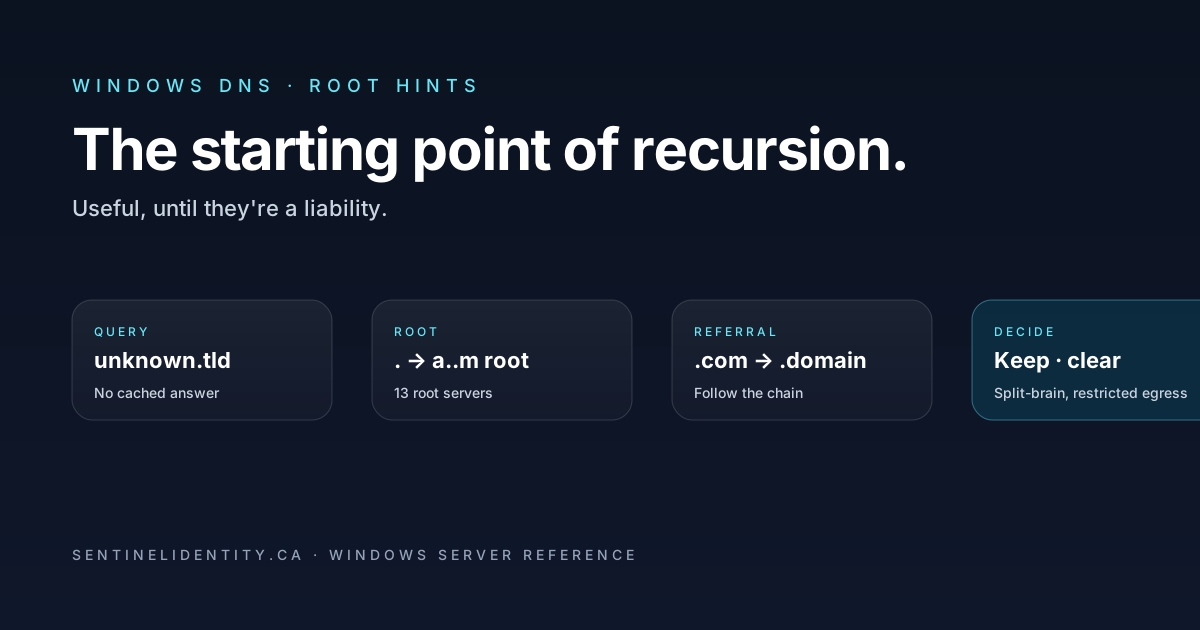
Open DNS Manager on any Windows DNS Server, right-click the server name, choose Properties, and there's a tab labeled Root Hints. The tab shows thirteen entries named a.root-servers.net through m.root-servers.net, each with an IPv4 and IPv6 address. These are the official root nameservers of the public DNS hierarchy — the same set every recursive resolver on the internet uses to bootstrap name resolution when it has nothing else to go on. Windows DNS ships preloaded with this list and most admins never open the tab again after installation.
A root hint is one entry in that list. Together, the thirteen hints are the starting point your DNS server uses to walk the public DNS tree when it needs to resolve a name that isn't in any of its own zones, isn't in its cache, and isn't covered by a forwarder. The recursion path is: ask one of the root servers for the requested name, receive a referral to the nameserver for the appropriate top-level domain (.com, .org, .ca), ask that server, follow the chain until you reach the authoritative server for the domain and get the actual answer. Root hints are the entry point for that walk.
The "never touch the tab" approach is correct for most environments because the default behavior is fine when you do want public name resolution. It's wrong in two specific environments: split-brain DNS setups where internal queries should never leak to public DNS, and air-gapped or restricted-egress environments where the DNS server can't actually reach the public root servers and shouldn't waste time trying. Knowing when to leave the defaults alone and when to clear the root-hints file is the distinction between a DNS server that quietly does what you want and one that has an unintended failure mode you'll discover only during an incident.
This article covers what root hints actually do during recursion, the three scenarios where they help, the two scenarios where they hurt, how the file gets refreshed when the public root list changes (very rarely), and the PowerShell that manages the entries without clicking through the GUI.
Where root hints fit in the resolution path
The DNS Server Configuration article in this series defined recursion as the server's ability to walk the public DNS hierarchy when it doesn't have an authoritative answer. Root hints are one of two starting points the server can use for that walk. The Forwarders article describes the other.
When a Windows DNS Server receives a query for a name it isn't directly authoritative for, the server consults its resolution order in sequence: local cache first, then authoritative zones, then conditional forwarders, then standard forwarders, then root hints. Root hints are the last fallback — they're only consulted when nothing earlier in the chain produced an answer.
In most enterprise environments, queries for internal names are answered authoritatively or via conditional forwarders, and queries for internet names are forwarded to an upstream resolver (an ISP's DNS, a security vendor's DNS service, Cloudflare's 1.1.1.1, Google's 8.8.8.8). The forwarder does the recursion work and returns an answer. Root hints are present but rarely actually used because the forwarder path handles everything.
The exception: if forwarders are misconfigured, unreachable, or deliberately absent, the server falls back to walking the root-hints chain itself. This is by design — it's the resilience that lets the DNS server keep working even if the upstream forwarder goes away. Most teams want this fallback. Some teams specifically don't, for reasons covered below.
Vocabulary worth pinning down
Four terms that show up in this article and in any root-hints documentation.
Root server. One of the thirteen named entry points (a through m) at the top of the public DNS hierarchy. Each "server" is operated by a different organisation and physically exists as an anycast cluster of dozens to hundreds of machines distributed globally; the IP in the root hints file routes to the nearest instance.
Anycast. A network addressing scheme where the same IP address is advertised from multiple physical locations and routed to whichever is topologically closest. The thirteen root server IPs use anycast, which is why your DNS server can hit 198.41.0.4 (the IP for a.root-servers.net) and have low latency regardless of where it sits geographically.
named.root file. The text file format that stores root nameserver IPs. Windows DNS reads its root hints from %windir%\System32\dns\cache.dns, which is essentially the same format. The canonical public copy lives at https://www.internic.net/domain/named.root and is published by IANA.
Recursion path. The sequence of servers a recursive resolver consults to find an answer. Root hints define the starting server for that path; the path then walks down through TLD servers and authoritative servers.
When root hints help
Three scenarios where having root hints present and accurate is doing real work.
The DNS server doesn't use forwarders and recurses to root itself. Some teams deliberately point their resolver at root hints rather than an upstream forwarder, on the principle that depending on a third-party resolver (an ISP, a public DNS service) introduces a trust dependency they don't want. Root hints let the server work without that dependency — it walks the root chain itself for any external query. Performance is slower than forwarded resolution (cold lookups have to walk the full chain), and operationally you have to keep the root-hints file fresh, but for a small environment or a high-trust resolver it's a defensible choice.
Forwarder failure resilience. Even when forwarders are configured for normal resolution, you typically want root hints available as a fallback so a forwarder outage doesn't take out all external resolution. The behavior is automatic — if the forwarder configuration has "Use root hints if no forwarders are available" enabled (the default), the server falls back to root hints gracefully when the forwarder is unreachable. Removing that option means a forwarder outage produces SERVFAIL responses for all external queries until the forwarder recovers.
Public-facing DNS infrastructure that does outbound queries. If you operate authoritative DNS for a public domain on a public-facing Windows DNS server, root hints can be useful for the server's own outbound queries during DNSSEC validation or chained lookups. Not strictly necessary, but consistent with the default and rarely worth changing.
When root hints actively hurt
Two scenarios where leaving the default root hints in place is exactly what you don't want.
Split-brain DNS environments that shouldn't reach the public internet from internal queries. Some highly-regulated environments require that internal DNS resolvers never make queries to the public root servers. The reason is leakage — if an internal hostname accidentally matches a public TLD pattern (because of a name collision, a typo, or a renamed corporate zone), a recursive lookup against root hints leaks the query to the public DNS system, which is observable by upstream parties. Clearing the root hints forces the resolver to depend exclusively on the zones it's authoritative for and the forwarders you've explicitly configured. Queries for anything else fail closed (return SERVFAIL) rather than escaping to the internet.
Resolvers in air-gapped or restricted-egress environments. A DNS server that can't actually reach the root servers on the internet shouldn't have them in its root hints, because if it ever attempts the recursion path (because a forwarder is misconfigured, or because of a transient forwarder outage), it'll waste time timing out against unreachable IPs before giving up. Clearing the root hints in restricted-egress environments produces an immediate SERVFAIL instead of a multi-second timeout, which is better operationally — the failure surfaces quickly rather than degrading user experience with mysterious delays.
In both scenarios, the explicit clear is preferable to leaving the default in place and hoping nothing happens. Hoping isn't a configuration.
Three real situations where you'd touch root hints
Concrete situations where the root-hints configuration becomes a deliberate decision rather than a defaulted setting.
You're setting up a new DNS server in a regulated environment with strict egress controls. The security team's standard requires that the server not be able to reach public DNS even if a misconfiguration tries to send it there. You install the DNS Server role and immediately clear the root hints as part of the baseline configuration, before the server enters production. Internal resolution works via authoritative zones and configured forwarders; anything else fails closed.
You're migrating from on-prem ISP DNS to a SaaS DNS-filtering vendor and want the server to fall back to root hints if the vendor is unreachable. The forwarder configuration points at the vendor's resolvers, but the "Use root hints if no forwarders are available" option stays on. Day-to-day resolution goes through the vendor; on the rare occasions when the vendor has an outage, the server falls back to root-hints recursion until the vendor recovers. Most clients never notice the outage.
You're cleaning up a server that's been around for a long time and you want to verify the root-hints list is current. Root server IPs change extremely rarely, but they do change occasionally (the last significant change was a root operator updating its anycast IP in 2015). Comparing your current cache.dns against the canonical published list every couple of years catches any drift.
Inspecting and managing root hints
The full list of current root hints on a server:
Get-DnsServerRootHintEach entry shows the nameserver hostname plus its A and AAAA records.
To clear root hints entirely for the split-brain or air-gapped scenario, iterate through the list and remove each:
Get-DnsServerRootHint | ForEach-Object {
    Remove-DnsServerRootHint `
        -NameServer $_.NameServer.RecordData.NameServer -Force
}
After clearing, queries that would have walked the root chain instead return SERVFAIL quickly. Verify by doing a deliberate lookup for a name your server isn't authoritative for and doesn't have a forwarder route to:
Resolve-DnsName -Name "example.com" -Server "your-dns-server" -DnsOnly
# Should fail immediately if root hints are cleared and no forwarder handles it
To add a root hint manually (for example, to point at an internal "root" you operate in a private DNS deployment):
Add-DnsServerRootHint -NameServer "internal-root.contoso.com" `
    -IPAddress "10.50.0.10", "2001:db8::10"
This is the high-effort version of the "no public DNS leakage" pattern and is useful in environments where you operate internal "root" infrastructure (such as an isolated network with its own DNS root).
To refresh root hints from the canonical published list when a root nameserver IP changes (the GUI has a "Copy from Server" button for this), the PowerShell approach is awkward. Most teams either click through the GUI or download the current named.root file from https://www.internic.net/domain/named.root and replace the local %windir%\System32\dns\cache.dns file, then restart the DNS service. This comes up roughly once every few years.
How forwarders and root hints interact
The forwarder configuration has a "Use root hints if no forwarders are available" checkbox. The combinations of that checkbox plus the root-hints state produce five distinct behaviors:
| Forwarders configured | Fallback to root hints | Root hints present | Behaviour for an unanswered query |
|---|---|---|---|
| Yes | Yes | Yes | Try forwarder; fall back to root hints if forwarder fails |
| Yes | No | Yes | Try forwarder; SERVFAIL if forwarder fails. Root hints unused even though present |
| Yes | Yes | Cleared | Try forwarder; SERVFAIL if forwarder fails (nothing to fall back to) |
| No | (n/a) | Yes | Walk the root chain directly |
| No | (n/a) | Cleared | SERVFAIL for anything outside authoritative zones and conditional forwarders |
The combination most security-tightened teams want: forwarders configured (pointing at trusted upstream DNS), fallback disabled, root hints cleared. That produces a resolver that only answers from authoritative zones, conditional forwarders, or the explicit forwarder list. Anything else fails closed. No leakage.
The setting to control forwarder fallback explicitly:
Set-DnsServerForwarder -UseRootHint $falseOperating root hints in production
For most environments, root hints are zero-maintenance. The two operational concerns that occasionally matter:
Drift from the canonical list. Root server IPs do change, very rarely. Once every few years, compare your cache.dns (or the output of Get-DnsServerRootHint) against the current named.root file at https://www.internic.net/domain/named.root. Update if anything has changed. Most environments go five years between changes.
Verification that the configuration matches intent. A periodic check that the root-hints state on each DNS server matches what your environment's design calls for. If your environment is supposed to have cleared root hints, run the audit:
# Count of root hints on each DNS server in the forest
$dcs = Get-ADDomainController -Filter * | Select-Object -ExpandProperty Hostname
foreach ($dc in $dcs) {
    $count = (Get-DnsServerRootHint -ComputerName $dc).Count
    [pscustomobject]@{ Server = $dc; RootHintCount = $count }
}
In a tightened environment all servers should show 0. In a normal environment they should show 13. Any server with a different number is either misconfigured or has had drift you didn't intend.
What goes wrong — the four patterns
Root hints removed without disabling forwarder fallback. The "Use root hints if no forwarders are available" option is still checked. When the forwarder is unreachable, the server tries to fall back to root hints, finds none, and returns SERVFAIL. Same outcome as if you'd disabled the fallback explicitly, but harder to reason about. Fix: turn off the fallback option when you clear root hints, for consistency.
Root hints present on a server that can't actually reach them. Restricted egress in the firewall prevents outbound DNS queries to the root server IPs. The server occasionally tries the recursion path (when a forwarder is briefly unreachable), wastes seconds timing out against the unreachable roots, and degrades client experience. Fix: clear root hints if outbound to root isn't allowed.
Root hints file got modified during a server image and not refreshed. The server was built from a template years ago, root hints in the template were stale at build time, no refresh has happened. The result is mostly fine because the few changes to root IPs are gracefully handled by the DNS protocol (the server just tries the next root in the list if one is unresponsive), but it's worth a periodic refresh.
Root hints disabled but no forwarders configured. Server has nowhere to send queries it isn't authoritative for. Every external lookup returns SERVFAIL. Sometimes deliberate (split-brain with no external resolution allowed), sometimes accidental (someone cleared root hints thinking forwarders were already configured when they weren't). Fix: configure forwarders, or accept the SERVFAIL behavior intentionally.
Things people ask
Are the thirteen root servers literally single machines? No. Each "root server" letter (a, b, c, …) is operated by a different organisation and exists as an anycast cluster of dozens to hundreds of physical servers spread across continents. The anycast IPs in the root-hints file route to the nearest instance of each cluster. You don't need to do anything special to get reasonable latency.
Will clearing root hints break Active Directory? No. AD-internal name resolution uses the authoritative zones the DCs hold; it doesn't depend on recursion to public DNS. Clearing root hints affects only the resolver's ability to answer queries for names outside its authoritative zones and configured forwarders.
The root hints list shows IPv6 entries — do I need IPv6 connectivity to use root hints? No. Each root server has both IPv4 and IPv6 addresses listed. Windows DNS uses whichever transport works; if your server has no IPv6 routing it'll fall back to the IPv4 addresses transparently.
If I clear root hints, what about reverse lookups for public IPs? Same model — reverse lookups for public IPs walk a chain that eventually reaches the IANA-managed roots for in-addr.arpa. Without root hints and without a forwarder that handles reverse zones, queries for public IP reverses return SERVFAIL. This rarely matters for internal-only resolvers.
How do I know whether the root hints file is current? The list of root server IPs changes very rarely. The current canonical version is at https://www.internic.net/domain/named.root. Compare your cache.dns against that once every couple of years and you'll be fine.
Can I use a different set of "roots" — say, a private DNS root I operate? Yes. Replace the entries in the root hints with the IPs of your private root infrastructure. The DNS protocol doesn't care that the servers aren't the public roots; it'll happily walk the chain starting from whatever you've configured. This is the foundation of private DNS deployments in isolated networks.
Do root hints stay synchronised across DCs? No — root hints are a per-server setting, not stored in AD. Each DNS server has its own copy. If you're tightening root hints across the forest, apply the change on each server.
Where to read further
About the author
MU.AMicrosoft 365 / Entra Engineer
MU.A is the editorial byline for Sentinel Identity, covering Microsoft Entra, Microsoft 365, and identity administration. Send corrections or questions through the contact page.
Feedback
Was this article helpful?
Anonymous — no account or comment required.
Related reading
Microsoft Entra Domain Services SAM Account Name Sync
Pilot Microsoft Entra Domain Services SAM account name sync safely: verify Active Directory source names, test legacy authentication, and monitor convergence.
Microsoft Entra AD Group Enforcement: Safe Pilot Guide
Pilot Microsoft Entra AD group enforcement safely: prepare every writable domain controller, audit blocked writes, test Cloud Sync, and plan rollback.
Microsoft Entra Domainless SAML Federation: Admin Guide
Deploy Microsoft Entra domainless SAML federation safely for B2B guests: validate issuer routing, redemption order, claims, certificates, logs, and rollback.