
From the notebook
Promoting a Windows Server to a Domain Controller: Decisions and Verification
Choose the correct deployment scenario, protect the DSRM password, review functional levels, and collect evidence after domain controller promotion.
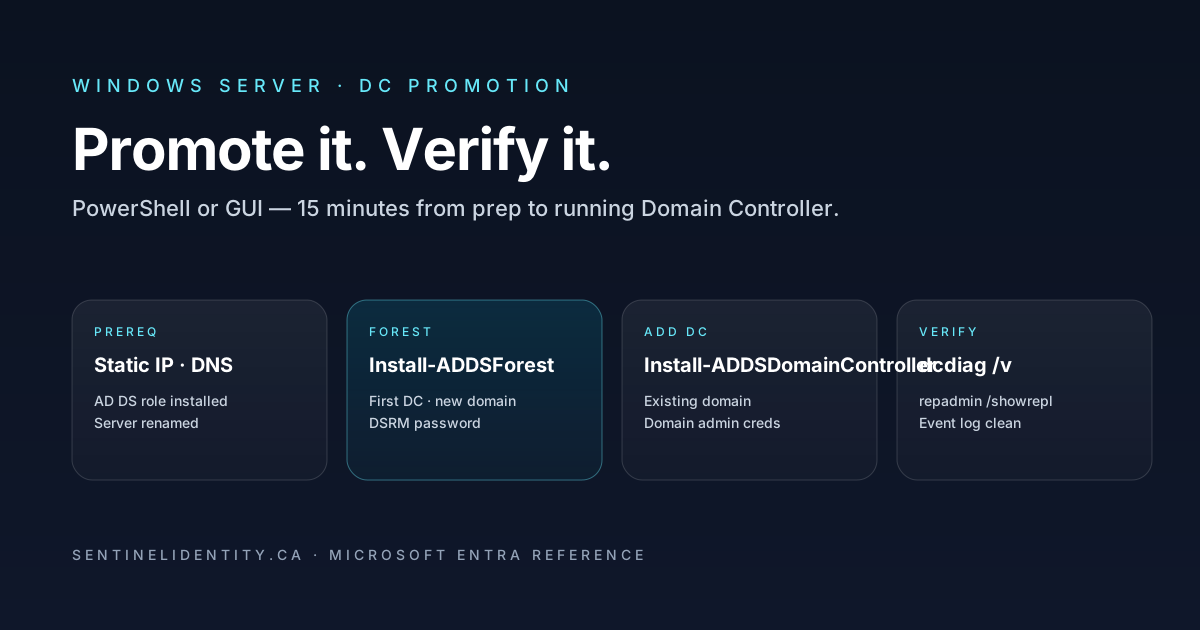
Promoting a server creates or joins identity infrastructure. The first decision is whether you are creating a new forest, adding a domain to an existing forest, or adding a controller to an existing domain. Do not guess from the server's current workgroup membership.
Microsoft's AD DS installation guide covers the deployment paths. Use it alongside the checks below.
Prepare a deployment record
| Decision | Record it before installation |
|---|---|
| Scenario | Existing domain or approved new forest? |
| Names | Approved DNS domain, NetBIOS name, and server name |
| Network | Stable address, subnet, gateway, DNS resolvers, and AD site |
| Platform | Windows Server edition, version, patches, and compatibility |
| Functional levels | Intended levels and compatibility with other controllers |
| Recovery | DSRM password custodian, backup plan, recovery owner |
| Change | Window, operator, approver, and stop conditions |
For an additional controller, use DNS capable of resolving the existing AD domain before promotion. An arbitrary public resolver is not a substitute. The forest name, namespace plan, and topology should be agreed with the directory owner.
Install the role, then review the deployment
From an elevated PowerShell session on the intended server:
Install-WindowsFeature -Name AD-Domain-Services -IncludeManagementToolsInstalling the role alone does not make the machine a domain controller. In Server Manager, open the AD DS configuration notification and choose the scenario that matches the deployment record.
Review the directory names, site, DNS choices, paths, functional levels, and prerequisite results. Use View script to save the wizard's proposed PowerShell configuration for review. Investigate each warning in context; do not assume that every DNS delegation warning or compatibility warning is harmless.
Windows Server 2025 has its own functional level. The earlier article incorrectly called WinThreshold the newest level. Compare the selected levels with Microsoft's functional-level guidance, rather than choosing a value because an old example used it.
Keep the recovery password out of scripts
Do not put a real DSRM password in source code, shell history, a ticket, or an example copied into a shared document. Enter it through the wizard's protected field or use a secure prompt in a reviewed script:
# Example input for a reviewed ADDSDeployment script; this does not promote a server.
$DsrmPassword = Read-Host "Enter the DSRM password" -AsSecureString
Pass the resulting value to the deployment cmdlet only after reviewing the complete operation. The Install-ADDSForest reference documents its parameters and prompting behaviour. Keep the recovery secret in your approved vault.
Verify after the restart
A completed wizard is one observation. Collect evidence for the services that must work:
# Run with appropriate permissions; substitute the actual AD DNS domain.
dcdiag /v
repadmin /showrepl
nltest /dsgetdc:ad.contoso.com
nslookup -type=SRV _ldap._tcp.dc._msdcs.ad.contoso.com
Save output and timestamps. Compare failures with the deployment scenario. A forest with one controller has no second controller from which to demonstrate replication; it does not replicate with itself as a health check.
Verify SYSVOL and NETLOGON availability, DNS registration, intended site membership, time configuration, and a representative client sign-in. An SRV record proves publication of service-location information, not that every authentication or policy operation succeeds.
Finish the operational handover
Record backup ownership, monitoring coverage, patching arrangements, and the recovery procedure. If an acceptance check fails, investigate it before adding more roles or declaring the controller ready. Use a documented AD DS removal or recovery process if promotion must be undone; do not treat deleting a production controller as an ordinary VM cleanup task.
Related: physical server preparation and site-change verification.
About the author
MU.AMicrosoft 365 / Entra Engineer
MU.A is the editorial byline for Sentinel Identity, covering Microsoft Entra, Microsoft 365, and identity administration. Send corrections or questions through the contact page.
Feedback
Was this article helpful?
Anonymous — no account or comment required.
Related reading
Microsoft Entra Domain Services SAM Account Name Sync
Pilot Microsoft Entra Domain Services SAM account name sync safely: verify Active Directory source names, test legacy authentication, and monitor convergence.
Microsoft Entra AD Group Enforcement: Safe Pilot Guide
Pilot Microsoft Entra AD group enforcement safely: prepare every writable domain controller, audit blocked writes, test Cloud Sync, and plan rollback.
25 Active Directory Interview Questions and Answers
Twenty-five practical Active Directory interview questions with clear, technically accurate answers covering AD DS, DNS, Kerberos, replication, Group Policy, recovery, and security.