
From the notebook
Sign-in Risk and User Risk in Microsoft Entra ID Protection: A Working Setup, Not a Slide Deck
The two-policy pattern everyone half-implements: require MFA on medium sign-in risk, require password change on high user risk. The interesting part is the rest — what the signals actually catch, how to tune so the help desk doesn't drown, and the remediation flow that closes the loop without an analyst staring at a queue.
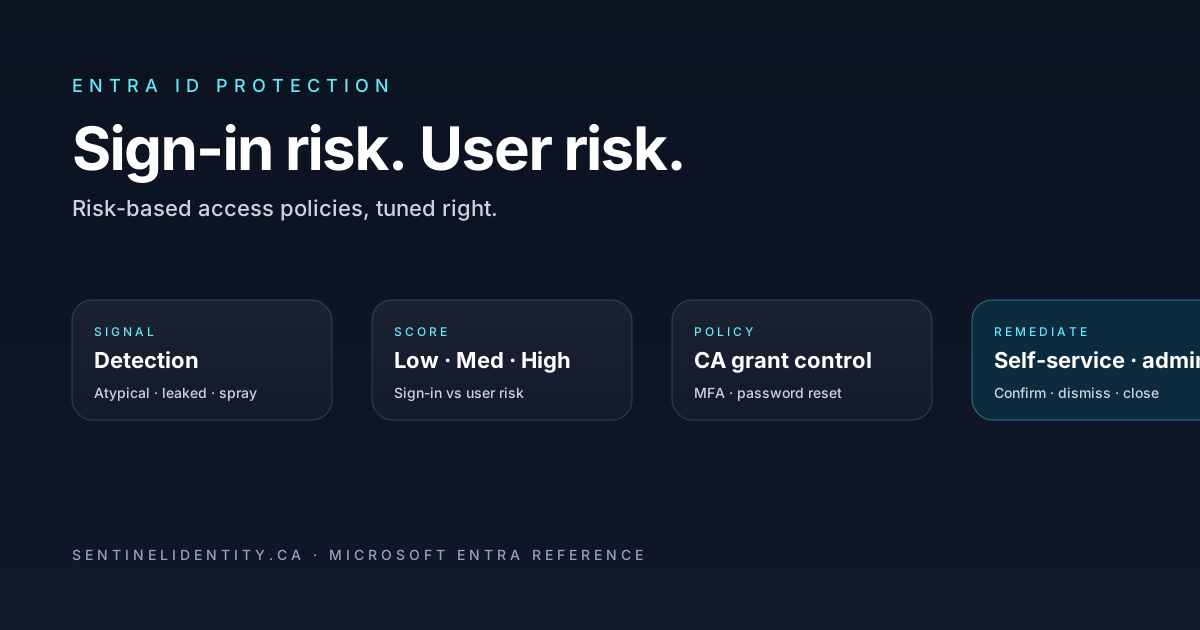
Microsoft Entra ID Protection is the feature most P2 tenants enable, configure to roughly the documented defaults, and then never look at again. That's a missed move, and not a small one — when it's tuned well, ID Protection catches credential-theft incidents in the window between "the attacker has the password" and "the attacker has done something with the password," which is sometimes a window of minutes and sometimes a window of months. The tenants that catch the credential-theft case in minutes are the ones that have the two-policy pattern set up correctly and the remediation flow closed.
This piece walks through what the risk signals actually catch, how the two-policy pattern (require MFA on medium sign-in risk, require password change on high user risk) is supposed to work, where it goes wrong in practice, and the small set of queries that turn the feature from "it's enabled" into a thing you actually operate. References are What is Microsoft Entra ID Protection, Risk detections, and the risk-based policy guidance.
Sign-in risk and user risk are different things
This is the first conceptual stumble. The two risks are not severities of the same thing — they're different evaluations entirely.
Sign-in risk is a per-request score. A specific sign-in attempt looks suspicious for some specific reason: it came from an anonymous IP, it satisfied a leaked credential match, it came from a country the user has never been to, it has the timing signature of password spray. The score is bounded to that sign-in. The next sign-in for the same user might be perfectly normal and score zero.
User risk is a per-account score. The signal isn't about one sign-in, it's about the account itself — credentials in a leaked credential dump, repeated risk events that pattern-match a compromise. User risk persists. The user is "at risk" until the risk is remediated, regardless of which session you're looking at.
You target them with different policies. Sign-in risk policies say "if this specific sign-in is risky, require MFA"; user risk policies say "if this account is in a risky state, force a password change before continuing." Both can exist, both should exist, and they handle different attack patterns.
What the signals actually catch
Microsoft's risk detection list keeps growing. The ones that matter most in practice break into a few categories.
Things that mean the credential is probably compromised right now. Leaked credentials (Microsoft saw your user's username + password in a public credential dump). Password spray (low-rate attempts against many accounts at low-volume rates — telltale of an automated campaign). These are high-confidence. They warrant the strong response.
Things that mean the sign-in is suspicious even if the credential isn't compromised. Atypical travel (sign-in from Toronto at 9am, sign-in from Brussels at 9:45am — the human didn't get there). Anonymous IP (Tor, anonymising VPN). Unfamiliar sign-in properties (combination of browser, OS, country, ASN that the user has never produced before). These are medium-confidence. They warrant a step-up, not a full reset.
Things that indicate session-level risk after the sign-in. Token-based detections, replays, suspicious behaviour patterns. These usually trigger Continuous Access Evaluation events and don't always show up as static risk detections — see the Token Lifetimes and CAE post for the related story.
Things that are useful but high false-positive. Some categories of "unfamiliar location" detections fire on legitimate travel often enough that you have to tune the response. Don't block on every single category at high sensitivity in your first rollout.
The two-policy pattern, written out
The setup that works most often:
Policy 1: Sign-in risk → MFA.
- Conditions: Sign-in risk = Medium and above
- Grant: Require MFA (or, ideally, Require authentication strength = Phishing-resistant MFA)
- Users: All users, excluding break-glass accounts and a small named exception group
Policy 2: User risk → password change.
- Conditions: User risk = High
- Grant: Require password change
- Users: All users, excluding break-glass accounts and the same exception group
Both policies go into Conditional Access (since 2024 Microsoft has been moving risk-based policies out of ID Protection's own policy surface and into CA proper). Set them up as CA policies, not on the legacy ID Protection policy page. Microsoft's migration guidance walks the transition.
The deliberate choices in this setup:
- Sign-in risk threshold is Medium, not High. Medium catches more, and the response (MFA) is reasonable. High alone misses most credential-theft attempts because they often surface as Medium signals layered together.
- User risk threshold is High only. Medium user risk shouldn't force a password change — too noisy. Medium user risk shows up in the queue for analyst review (covered below).
- Password change is required for high user risk, not MFA. Already explained above.
- Exclude break-glass and a named exception group. Standard CA hygiene. Break-glass needs to work when ID Protection itself doesn't, and there will be legitimate edge cases that need exemption with a compensating control.
Self-service vs admin remediation
The whole point of the risk policy is that the user can resolve the situation themselves — that's what makes the model scale. The flow:
- User triggers risk (signs in from Tor, has a leaked credential match, etc.).
- CA policy kicks in at the moment of access.
- User satisfies the policy (re-MFA for sign-in risk, password reset + MFA for user risk).
- ID Protection auto-clears the risk state for that user.
Self-service works only if two things are true: the user has MFA registered (otherwise the policy can't be satisfied) and the user has self-service password reset enabled (otherwise the password change requires admin intervention). Both are prerequisites — don't enable risk policies until both are in place across your population.
What happens for accounts that aren't set up for self-service? They hit the policy, can't satisfy it, are effectively blocked. Now you have an admin queue. That queue exists by design (it's the safety net) but it should be small. The KQL queries below find the users who'll end up there.
Tuning, the part nobody talks about
Out-of-the-box, the risk model surfaces enough events that an unfiltered "alert on every Medium sign-in risk" channel is unusable. The tuning that makes this practical:
- Don't alert on sign-in risk events directly. The policy handles them by stepping up. You'll see them in the sign-in log as risk-affected sessions, which is enough.
- Do alert on user risk transitions to High. That's the signal worth a human looking at.
- Do alert on bulk patterns. A single Medium sign-in risk is noise. Twenty Medium sign-in risk events targeting your tenant in the same hour with similar geographic origin is a targeted campaign.
- Periodically confirm or dismiss low-confidence detections. This is the training loop. The model learns from your dismissals what's normal for your tenant. Bulk-dismiss obvious false positives (your VPN egress that legitimately appears as anonymous IP) and the future detection rate drops.
The KQL that turns risk into operations
ID Protection logs land in SigninLogs (per-sign-in risk), in the AADRiskyUsers log via Graph (per-user state), and AADRiskDetections (the individual detections). The starter queries:
// Users whose user-risk state went High in the last 7 days
AuditLogs
| where TimeGenerated > ago(7d)
| where Category == "IdentityProtection"
| where OperationName == "User Risk State Updated"
| extend NewState = tostring(AdditionalDetails[?key=="NewValue"].value),
         OldState = tostring(AdditionalDetails[?key=="OldValue"].value),
         User    = tostring(TargetResources[0].userPrincipalName)
| where NewState == "atRisk" or NewState == "highRisk"
| project TimeGenerated, User, OldState, NewState, CorrelationId
| order by TimeGenerated desc
// Sign-ins with sign-in risk flagged Medium+ in the last 7 days
SigninLogs
| where TimeGenerated > ago(7d)
| where RiskLevelDuringSignIn in ("medium", "high")
| project TimeGenerated, UserPrincipalName, AppDisplayName, RiskLevelDuringSignIn,
RiskState, RiskEventTypes_V2, IPAddress, Location, CorrelationId
| order by TimeGenerated desc// Top users by repeated sign-in risk events — accounts likely under sustained pressure
SigninLogs
| where TimeGenerated > ago(30d)
| where RiskLevelDuringSignIn in ("medium", "high")
| summarize Events = count(),
Apps = make_set(AppDisplayName),
Countries = make_set(tostring(LocationDetails.countryOrRegion))
by UserPrincipalName
| where Events > 5
| order by Events desc// Risk events that were not remediated — failed self-service paths
AADRiskyUsers
| where TimeGenerated > ago(30d)
| where RiskState == "atRisk" and RiskLevel == "high"
| project UserPrincipalName, RiskLastUpdatedDateTime, RiskDetail, RiskState, RiskLevel
| order by RiskLastUpdatedDateTime descThe fourth query is the admin queue. Users showing in the result haven't completed self-service remediation — usually because they don't have a method registered, because the CA policy required something they can't satisfy, or because they're a service account that shouldn't be evaluated this way (more on that). The list should be short. If it's long, you have a process gap.
Confirming compromise and dismissing risk
ID Protection has three administrative actions per risky user: confirm compromised, confirm safe, and dismiss user risk. They mean different things and the difference matters.
Confirm compromised tells the system "yes, this account was actually compromised." It feeds the model with positive labels. It also revokes the user's sessions and resets the risk state to clean after the user goes through password reset.
Confirm safe tells the system "no, this signal was a false positive on a legitimate user." It feeds the model with negative labels. Don't use this for "I don't have time to investigate, just close it" cases — that trains the model wrong. Use Dismiss for those.
Dismiss clears the risk state without telling the model anything. Use this for "I closed the ticket but don't have evidence either way" cases.
The pattern that works: investigate enough to know which of the three the case is, then mark accordingly. The few minutes of investigation per case repays itself in fewer false positives over months.
Things that need exemptions
A small set of populations shouldn't be evaluated like normal users.
Service accounts that haven't migrated to workload identities yet. They produce constant low-confidence risk signals because their behaviour patterns don't fit any human. Put them in an exclusion group, apply a tighter CA policy that restricts them to known network and known operations, and migrate them to managed identities or federated credentials when you can.
B2B guests from partner tenants you trust. Guest user-risk evaluation is well-intentioned but can produce false positives when the partner's home tenant is the source of the unfamiliar signals. Configure cross-tenant access settings to trust the partner's risk evaluation where appropriate.
Test / pre-production accounts that get rotated frequently. Their behaviour signatures look unstable to the model. Exclusion group with a named-locations restriction is the standard pattern.
The exclusion group should be small, named obviously, and audited. "Excluded from ID Protection" is the kind of group that grows quietly if nobody is watching.
Things people ask
Do I need P2 for this? Yes, Microsoft Entra ID P2 includes ID Protection. P1 doesn't, though some P1 tenants have P2 through Microsoft 365 E5 bundling — verify before assuming.
Will sign-in risk break my CI/CD pipelines? It can, if the pipeline uses a user account (which it shouldn't anyway). Pipelines using workload identity federation or managed identities don't trigger user-shaped risk. This is one of several good reasons to migrate any pipeline that's still using a user account — see the FIC post.
What's the difference between risk level "low" and "Microsoft hasn't said anything"? A scored Low risk event is something the engine flagged as slightly suspicious. No event recorded means the engine saw the sign-in as normal. Most Low events are dismissible noise; don't build alerts on them.
Can I set the risk threshold lower than Medium? You can, but the false positive rate climbs sharply. Most teams find Medium is the right threshold for sign-in risk and High for user risk. Reserve lower thresholds for high-sensitivity populations (admins, finance) via a separately-scoped policy.
Does ID Protection cover non-interactive sign-ins? Some signals do, particularly for tokens and refresh-token risk. Configure non-interactive sign-in evaluation in Conditional Access if you want CA grant controls to apply there too — see the non-interactive sign-in reference.
Are risk signals available to my SIEM? Yes. Sign-in logs ship to Log Analytics / Sentinel via Diagnostic Settings. The risk-detection-specific tables (AADRiskDetections, AADRiskyUsers) flow through the same path. KQL above works against either.
Where to read further
- What is Microsoft Entra ID Protection — Microsoft Learn
- Risk detections reference — Microsoft Learn
- Configure risk-based Conditional Access policies — Microsoft Learn
- Migrate risk-based policies to Conditional Access — Microsoft Learn
- Remediate and unblock risky users — Microsoft Learn
- AADRiskyUsers schema — Microsoft Learn
- AADRiskDetections schema — Microsoft Learn
About the author
MU.AMicrosoft 365 / Entra Engineer
MU.A is the editorial byline for Sentinel Identity, covering Microsoft Entra, Microsoft 365, and identity administration. Send corrections or questions through the contact page.
Feedback
Was this article helpful?
Anonymous — no account or comment required.
Related reading
Azure RBAC Access Packages in Microsoft Entra: Admin Guide
Govern Azure RBAC access with Microsoft Entra access packages: scope roles safely, choose active or eligible access, pilot approvals, and verify removal.
Manage Microsoft Entra Recommendations with Microsoft Graph
Manage Microsoft Entra recommendations with Graph beta: inventory resources, add workflow tags, choose accurate states, and preserve review evidence.
Prevent Nested Groups in Microsoft Entra: Admin Guide
Prevent nested groups in Microsoft Entra with the new disableNesting preview control. Inventory dependencies, pilot safely, monitor changes, and roll back.