
From the notebook
Privileged Identity Management for Entra Roles: The Setup That Doesn't Backfire
PIM is one of those features that looks simple in the demo and is humbling in production. The shape that works: eligible-only assignments, justified activations with MFA, narrow approver pools for the most sensitive roles, monitored activations, and a rule everyone forgets — break-glass accounts stay outside PIM, on purpose.
The day after an Entra tenant gets PIM enabled, the same question always lands in someone's inbox. "Why can't I do the thing I could do yesterday?" The answer — "you can, you just have to activate the role first" — is correct, and is also why PIM rollouts get reversed within a week if you don't plan for it. The feature is small in concept and large in operational consequence, and the gap between "we turned it on" and "we use it the way it was designed" is where most of the work lives.
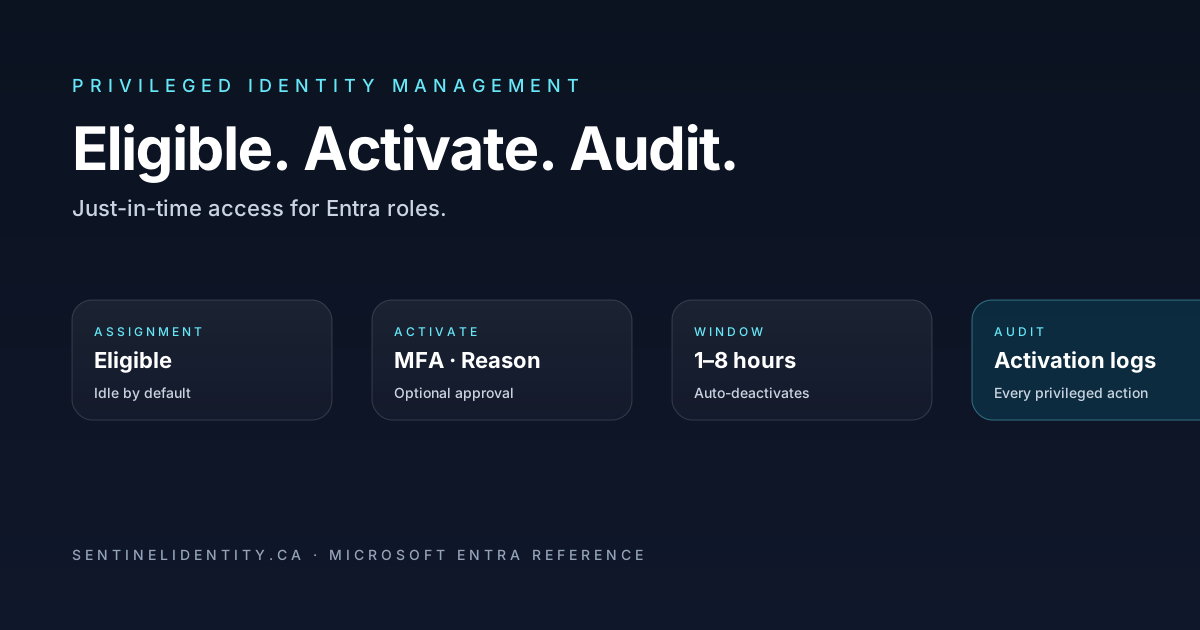
What PIM actually does is move privileged role assignments from a state where they're constantly available to one where they're idle by default and the user has to perform a small, audited activation step before doing anything privileged. The control point is the activation, not the role itself. The role assignment is still there. The user can still do the thing. They just have to ask first, and the system has to record that they asked. Microsoft's reference docs for the underlying mechanics are at What is Microsoft Entra Privileged Identity Management and the role settings reference.
This piece is the shape of a PIM rollout I'd hand someone running their first one — what assignment model to use, how to set activation requirements without blocking real work, where to set the approver pools, what to watch in the audit log, and the four mistakes I see most often when other people roll it out.
Eligible vs Active, and why almost everyone should be Eligible
Every PIM-managed role has two assignment kinds. Active is the legacy model: the user has the role at all times, can do anything the role permits at any moment, no friction. Eligible is the PIM model: the user can activate the role when needed, the activation has constraints (time-limited, MFA-required, optionally approval-required), and outside the active window the user is operationally a regular account.
The right default for almost every privileged role is Eligible. Active assignments should be the exception you can justify in writing — usually for service identities that have to operate continuously, or for break-glass accounts that exist specifically because PIM might be unreachable. The "I don't want the friction" argument doesn't survive contact with the first real incident where an attacker compromises an admin's session: Active means the attacker has the role; Eligible means the attacker has to also satisfy MFA on an activation request that gets logged the moment it happens.
The split most healthy tenants converge on looks like this:
| Role | Default assignment | Why |
|---|---|---|
| Global Administrator | Eligible | Highest blast radius. PIM-required, MFA-required, approval-required, time-bounded |
| Privileged Role Administrator | Eligible | Can grant any role. Treat exactly like GA |
| Conditional Access Administrator | Eligible | Can disable your CA enforcement. PIM is non-negotiable |
| Security Administrator | Eligible | Can change risk policies, MFA settings |
| Exchange / SharePoint / Teams Administrators | Eligible | High-value, lots of session data accessible |
| User Administrator | Eligible | Can reset passwords, including on admin accounts. Often overlooked |
| Helpdesk / Password Administrator | Eligible | Same — password reset on admin accounts is a privilege |
| Break-glass accounts (2) | Active | Excluded from PIM by design. See the section below |
The break-glass exception is a feature, not a bug
Every tenant needs two cloud-only break-glass accounts that are excluded from PIM entirely. They have the Global Administrator role assigned as Active. They have very strong randomised passwords stored offline. They have phishing-resistant MFA registered (FIDO2 keys kept in a locked safe). They are excluded from every Conditional Access policy and from PIM activation requirements.
The reason: PIM depends on Entra functioning. If a tenant gets into a state where PIM activations can't complete — a Conditional Access misconfiguration that blocks the activation flow itself, an outage in the activation backend, a misconfigured approval workflow that gets stuck — you need an account that can sign in and recover the tenant without going through PIM. Break-glass is that account.
A break-glass account that is itself PIM-eligible is not a break-glass account. It's just another admin account with a fancy name.
Activation settings, the dial that matters
When you put a role under PIM, you get a small set of dials per role. The defaults are mostly sensible, but the ones worth changing on day one are these.
Activation maximum duration. Default is eight hours. Drop it to one to four hours for high-value roles (GA, Privileged Role Admin, Security Admin). The shorter the window, the more often the user has to re-justify, which sounds like friction and is actually a signal. If a Global Administrator is activating eight times a day, either the role is being used as a daily driver (which it shouldn't be) or someone is doing something they shouldn't.
Require MFA on activation. Always on. The activation IS the privileged action; satisfying MFA is the cost of doing it.
Require justification. Always on. Free-text field. The user types why they're activating. Doesn't need to be a novel. "Adding service account X for project Y" or "investigating ticket #1234" is fine. The point is the audit trail.
Require approval. On for the most sensitive roles (Global Administrator, Privileged Role Administrator, Conditional Access Administrator). The approver pool should be small — three to five people who genuinely can evaluate whether the activation makes sense. Approvers should not be PIM-eligible for the same role they're approving; otherwise activation becomes self-approval.
Require Conditional Access authentication context. This is the dial most teams don't know about. It lets you require a specific authentication context — say, "must satisfy phishing-resistant MFA from a compliant device" — for activation. The activation request becomes a Conditional Access evaluation against your context, which means the activation inherits all of your CA policy intelligence. For GA-class roles this is the strongest control PIM exposes.
The approver pool, the part people get wrong
Approvers approve activations. The right design has a small named pool of approvers per high-value role, those approvers are themselves PIM-eligible for a different role (not the one they're approving), and the approval response time is fast — measured in single-digit minutes, not hours.
The mistakes:
- One approver. They go on vacation, activations are dead. Two minimum, ideally three.
- The approver pool is the same as the role pool. Now activations are self-approved if any other eligible person approves theirs. Use a separate approver group.
- Approvers are notified by email and nothing else. Email is fine for low-frequency roles; for anything operational, also send to Teams via webhook so the approver sees it within seconds.
- No SLA on approval. Activations sit waiting. Activations should be sub-five-minute responses; if approvers can't commit to that, the role isn't a good candidate for approval-required.
Monitoring activations is half the value
PIM without monitoring is theatre. The other half of the value is that every activation is in the audit log, and a small KQL query against the workspace tells you what's happening across the tenant.
// Every PIM activation in the last 7 days, who, what role, why
AuditLogs
| where TimeGenerated > ago(7d)
| where LoggedByService == "PIM"
| where OperationName has_any ("Add member to role", "Add eligible member to role", "Activate role")
| where OperationName == "Add member to role completed (PIM activation)"
| extend Initiator = tostring(InitiatedBy.user.userPrincipalName),
         RoleName  = tostring(TargetResources[0].displayName),
         Justification = tostring(AdditionalDetails[0].value)
| project TimeGenerated, Initiator, RoleName, Justification, CorrelationId
| order by TimeGenerated desc
// Activations broken down by role and user — pattern spotting
AuditLogs
| where TimeGenerated > ago(30d)
| where LoggedByService == "PIM"
| where OperationName == "Add member to role completed (PIM activation)"
| extend Initiator = tostring(InitiatedBy.user.userPrincipalName),
RoleName = tostring(TargetResources[0].displayName)
| summarize Activations = count() by Initiator, RoleName
| where Activations > 10
| order by Activations descThe second query catches the "this person activates GA twelve times a day" pattern. If you see that, either the role assignment is wrong (the user is doing day-to-day work that needs a less privileged role) or the activation duration is too short for the work they actually do. Either is worth a conversation.
The third query worth pinning to a workbook: failed activations.
// Activations that didn't complete — useful for catching CA policy that's blocking PIM
AuditLogs
| where TimeGenerated > ago(7d)
| where LoggedByService == "PIM"
| where Result == "failure"
| project TimeGenerated, OperationName,
          Initiator = tostring(InitiatedBy.user.userPrincipalName),
          Reason = tostring(ResultReason)
| order by TimeGenerated desc
A spike in failed activations after a Conditional Access change usually means the change is blocking the activation flow itself. That's a recoverable situation only if your break-glass accounts work.
Time-bound assignments are the underused dial
Assignments themselves can be time-bound. A consultant who needs Global Administrator for a six-week migration project gets an eligible assignment that expires automatically on a date you specify. They never need to be removed manually. They simply lose the eligibility when the date passes.
# Schedule an eligible PIM assignment that auto-expires
Connect-MgGraph -Scopes "RoleManagement.ReadWrite.Directory"

$params = @{
    Action            = "AdminAssign"
    Justification     = "Project Apollo migration, contractor access"
    RoleDefinitionId  = "<role-definition-id>"  # Global Administrator GUID is 62e90394-69f5-4237-9190-012177145e10
    DirectoryScopeId  = "/"
    PrincipalId       = "<user-object-id>"
    ScheduleInfo      = @{
        StartDateTime = (Get-Date).ToString("o")
        Expiration    = @{
            Type        = "AfterDateTime"
            EndDateTime = (Get-Date).AddDays(42).ToString("o")
        }
    }
}

New-MgRoleManagementDirectoryRoleEligibilityScheduleRequest -BodyParameter $params
The same shape works for active assignments via New-MgRoleManagementDirectoryRoleAssignmentScheduleRequest. Use time-bound assignments aggressively. Anything that doesn't have a permanent business justification should have an expiry.
PIM for Groups, the newer half of the feature
PIM also covers group membership. A user can be eligible for membership in a specific security group, activate to gain membership for a bounded window, and lose it on deactivation. The use case: any RBAC role that's granted via group membership becomes a PIM-controlled grant. App role assignments, SharePoint permissions, Azure subscription role assignments — anything that flows from membership.
The mechanics are identical to roles. Same activation requirements, same audit logs, same monitoring patterns. The KQL queries above work too, just looking for group membership operations instead of role operations.
The four mistakes I see most often
Forgetting PIM still requires a role assignment. Eligible is not "granted on demand." The user has to have been assigned eligibility first. The misconception that PIM grants roles spontaneously based on need will produce a lot of confused tickets.
Configuring PIM without break-glass. A tenant where every privileged account is PIM-eligible is a tenant that can lock itself out. Two break-glass accounts, excluded from PIM, with phishing-resistant MFA in a safe. Document the recovery procedure.
Approver pools that overlap with eligible pools. If Approver A is eligible for the role they approve and Approver B is too, A approves B's activations and vice versa. That's self-approval with two extra clicks. Use disjoint pools.
No monitoring. Activations go into the audit log but nobody looks. Pin the queries above to a workbook, send a weekly summary to the security team, and review the "activations over ten per month per user" outlier list every month. Without the watchful layer, PIM is just a feature you turned on.
Things people ask
Is PIM included in our license? PIM is part of Entra ID P2 or Entra ID Governance. P1 doesn't include it. Many enterprises that have P1 do have P2 too via their Microsoft 365 E5 bundle — check before assuming.
Do all admins need P2 licenses, or just the ones using PIM? Anyone assigned to a PIM-managed role needs a P2 license. The licensing applies per-user, not per-role.
What happens to PIM if the user signs out during an active window? The role stays active until the activation expires. Signing out doesn't deactivate the role. There's a separate "Deactivate" button in the PIM portal that users should use when they finish their privileged work, though the time-window auto-deactivation is the backstop.
Can the same user have two activations of the same role at once? No. Each role has at most one active assignment per user at a time. The activation extends the window if the user activates again while already active.
Should service accounts use PIM? No. Service accounts and workload identities don't perform interactive MFA, can't approve activations, and operate continuously. They should have their own Conditional Access policy and ideally be migrated to managed identities or federated credentials — see the FIC post — rather than carrying user-style role assignments.
How long does it take for PIM to reflect a change? Activations are usually effective within thirty seconds. The role propagates via token claims, so existing sign-in sessions may continue to lack the role until the next token refresh (typically up to an hour for non-CAE sessions, less for CAE). If you need the role right now, sign out and back in.
Where to read further
- Microsoft Entra Privileged Identity Management overview — Microsoft Learn
- Configure role settings — Microsoft Learn
- Authentication context in Conditional Access — Microsoft Learn
- PIM for Groups — Microsoft Learn
- Role assignment Graph PowerShell reference — Microsoft Learn
- Entra built-in roles reference — Microsoft Learn
About the author
MU.AMicrosoft 365 / Entra Engineer
MU.A is the editorial byline for Sentinel Identity, covering Microsoft Entra, Microsoft 365, and identity administration. Send corrections or questions through the contact page.
Feedback
Was this article helpful?
Anonymous — no account or comment required.
Related reading
Azure RBAC Access Packages in Microsoft Entra: Admin Guide
Govern Azure RBAC access with Microsoft Entra access packages: scope roles safely, choose active or eligible access, pilot approvals, and verify removal.
Manage Microsoft Entra Recommendations with Microsoft Graph
Manage Microsoft Entra recommendations with Graph beta: inventory resources, add workflow tags, choose accurate states, and preserve review evidence.
Prevent Nested Groups in Microsoft Entra: Admin Guide
Prevent nested groups in Microsoft Entra with the new disableNesting preview control. Inventory dependencies, pilot safely, monitor changes, and roll back.